
TL;DR

Get home appliances delivered free — and shop member deals
- Fast, free delivery on millions of items
- Access to Prime Big Deal Days deals on October 6–7
- Prime Video, Amazon Music and more included
Smart home security cameras combine live video, motion alerts, and remote access, but the best choice depends on where you place them, how you store footage, and how you protect account access. Compare indoor and weather-rated outdoor models, check field of view and night vision, and decide whether local or cloud storage suits you before buying. Strong passwords, two-factor authentication, and regular firmware updates help protect your camera account.
A camera that records your front path in crisp daylight can still miss the delivery driver after sunset. Smart home security cameras give you live video and motion alerts, but choosing well means matching the camera to the place you need to watch—not just picking the sharpest picture on the box.
This guide walks you through indoor and outdoor models, resolution, field of view, storage, privacy, and installation. You’ll also get a practical way to compare costs and features, so you can decide whether a simple camera near the garage or a connected system across your home makes sense.
That distinction matters: a camera can be useful without recording every corner of your life. A well-placed device with dependable alerts may do more for your peace of mind than a pricey system that sends constant false alarms or leaves you paying for storage you rarely use.
Choose the camera location and the event you need to see before comparing brands or resolution.
A wide field of view covers more area, but distant faces and packages may appear smaller.
Compare total costs, including a hub and a year of cloud service, not just the camera’s sticker price.
Protect footage with a unique password, two-factor authentication, limited sharing, and timely firmware updates.
Test Wi-Fi, night vision, and motion alerts at the actual mounting spot before relying on the camera.
Start with the spot you actually need to watch
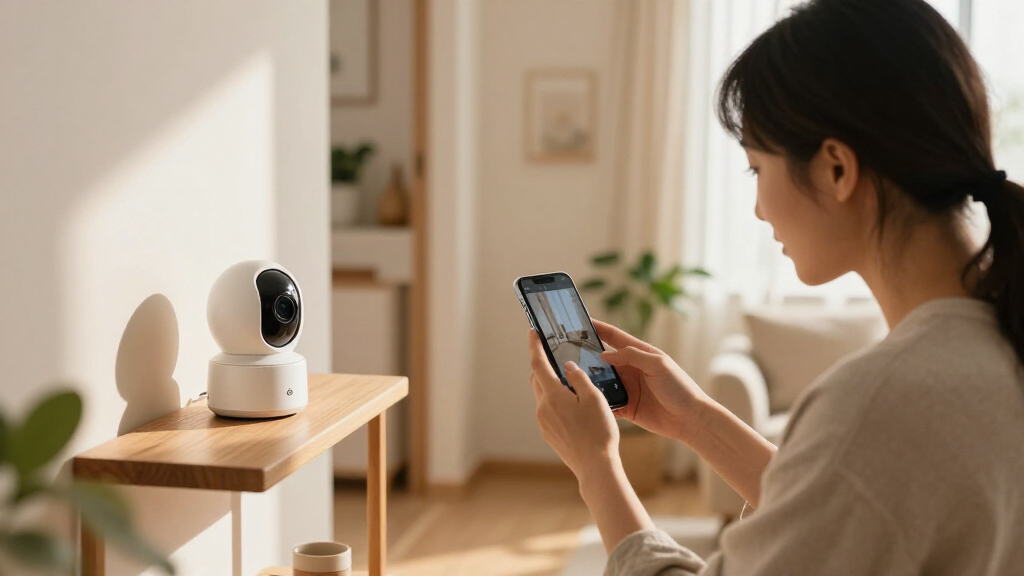
Smart home security cameras are internet-connected cameras that let you check live or recorded video through an app and can alert you when they detect activity. They work best when you start with a specific question: do you need to see who is at the door, check on a pet, or watch a dark side gate? The answer determines placement, power, and the features worth paying for.
For example, a renter who wants to see packages can set an indoor camera on a shelf facing the entry, while a homeowner watching a long driveway needs an outdoor-rated device with dependable night vision. Indoor and outdoor cameras are designed for different environments; outdoor models are built to handle weather, but you still need to check the product’s stated rating and installation guidance.
Before buying, walk the area in daylight and after dark. Note where a person could approach, where lights create glare, and whether a wall or tree blocks the view. A camera pointed through a window may catch reflections from a lamp at night, making an otherwise sharp image hard to use.
- Front door: Prioritize faces, package visibility, and a clear view of the approach.
- Backyard or driveway: Check weather resistance, night vision, and Wi-Fi coverage at the mounting spot.
- Living room or pet area: Look for a privacy shutter or a simple way to switch off recording when you are home.
The useful measure is not how many cameras you own; it is whether each camera covers a real gap. One aimed at the side gate can be more valuable than three that all show the same front step.
As an affiliate, we earn on qualifying purchases.
Compare picture quality without paying for pixels you won’t use
For clearer images, match resolution and field of view to the distance and detail you need to see. A wide-angle image can show a whole porch, while a tighter view may make a face or parcel easier to recognize. Resolution ranges from 720p to 4K, and many wide-angle lenses offer a field of view around 110°–180°; neither number alone guarantees useful footage.
Think of the field of view as a flashlight beam: a wider beam covers more ground but can make distant details appear smaller. If your camera watches a small entryway, a broad angle may capture the door and package drop at once. If it watches a long driveway, test whether a person near the street remains recognizable rather than becoming a tiny figure in a sweeping view.
Night vision deserves the same practical test. Infrared can show movement in black and white, while color night vision needs enough visible light. HDR can help balance a bright porch light against a shadowy face, but it cannot fix a lens aimed into glare. Ask a friend to walk through the area at night and review the recording before relying on it.
| Feature | What it helps you see | What to check |
|---|---|---|
| Resolution | Fine detail, such as clothing or a package label | Whether detail holds up at the camera’s real viewing distance |
| Wide field of view | More of a porch, room, or yard at once | Whether distant people look too small |
| Night vision | Activity after dark | Glare, shadows, and whether color matters to you |
| HDR | Scenes with bright and dark areas | How it handles your actual doorway or window |
Higher resolution also uses more storage and bandwidth. If your router struggles at the far end of the house, a stable 1080p stream can be more useful than a 4K feed that stalls when you need it.
outdoor weatherproof security camera
As an affiliate, we earn on qualifying purchases.
As an affiliate, we earn on qualifying purchases.
Choose alerts and features that cut noise, not add to it
Smart home security cameras help most when their alerts tell you something useful, rather than buzzing your phone every time a branch moves. Motion detection can flag activity, and newer AI features may distinguish people, vehicles, or familiar faces, depending on the device and service. These tools can reduce false alarms, but you should test them around your own lighting, pets, and foot traffic.
Imagine a camera aimed at a sidewalk beside your front garden. A basic motion zone may notify you whenever a passerby crosses the frame; narrowing the zone to the path and porch can make alerts more meaningful. If your dog trots through the room all afternoon, pet or person detection may help, though you should confirm which features work without a subscription.
Two-way audio lets you speak through the camera, which can be handy when a courier arrives. It is not a substitute for an alarm or emergency response, and you should not treat it as a safe way to confront an intruder. Smart-home connections can also let a camera trigger a light or work with a doorbell, alarm, or smart lock; compatibility varies across Alexa, Google Home, and Apple HomeKit.
- Set motion zones around the areas you care about, not the entire image.
- Check whether person, vehicle, or package alerts require a paid plan.
- Use two-way audio for routine communication, not as a security guarantee.
- Test integrations before buying a whole system; devices in one ecosystem may not share every feature.
In a small home, one camera and a porch light may be enough. A larger property with several entry points may benefit from coordinated devices—but only if their alerts stay manageable.
wireless home security camera with night vision
As an affiliate, we earn on qualifying purchases.
As an affiliate, we earn on qualifying purchases.
Pick storage that matches your budget and privacy comfort
Cloud storage saves video to a provider’s service for remote access, while local storage keeps recordings on a memory card, a hub, or network-attached storage (NAS) at home. Cloud plans can make it easier to review clips away from home, but they may add a recurring fee. Local storage can reduce dependence on a subscription, though you remain responsible for capacity, device security, and keeping the recorder available.
For instance, if you only want to check a live view and receive motion alerts, a camera with free basic features may cover your needs. If you want to review several weeks of recordings after a package goes missing, you’ll need to check how long clips remain available and whether continuous recording costs extra. Prices in the supplied market data range from about $50 for basic models to more than $300 for high-end devices; subscriptions can change the long-term cost.
Edge computing adds another option: the camera processes some activity on the device instead of sending every analysis task to a remote server. That can reduce response delay and limit what leaves the home, but it does not automatically mean every recording stays local. Read the storage and processing details for the specific model.
Before you pay, ask two questions: How far back can you review an event, and where does that video live? Those answers matter more than a long feature list.
A practical comparison is to add the camera price, any hub, and one year of subscription fees. A cheaper camera that requires a plan may cost more over time than a higher-priced model with the storage option you prefer.
home security camera with cloud storage
As an affiliate, we earn on qualifying purchases.
As an affiliate, we earn on qualifying purchases.
Secure your camera account before you leave it online
Smart home security cameras can expose private footage if someone gains access to your account, so privacy depends on both the manufacturer and your habits. Look for encryption during transmission and storage, strong user authentication, and clear controls for who can view or share video. Then use a unique password and two-factor authentication where available.
A realistic example: if you reuse the same password for a camera app and an unrelated shopping account, a leak from the other service could put your camera login at risk. A password manager can create a different long password for each account. Also review household members and shared access; a former roommate should not retain permission just because their phone once helped set up the system.
Keep firmware current because updates can patch security weaknesses and improve reliability. Turn on automatic updates if the maker offers them, or set a monthly reminder to check. Put cameras on a separate guest or smart-device Wi-Fi network if your router supports it, and use a private network password rather than the one printed on a visible note.
- Secure access: Use unique passwords and two-factor authentication.
- Limit sharing: Give access only to people who need it, and remove old accounts.
- Update regularly: Install firmware and app updates promptly.
- Reduce unnecessary recording: Use privacy zones or schedules where they fit your routine.
Privacy also includes neighbors and visitors. Aim cameras at your own property, avoid recording spaces where people expect privacy, and check local rules before recording audio or shared areas. When you install a camera in a bedroom or other private room, a physical shutter or unplugging it can provide a clear boundary.
Install cameras in a way you can maintain
Most wireless smart home security cameras are designed for straightforward setup, but the best installation is one that keeps the camera powered, connected, and easy to maintain. Battery models avoid a nearby outlet, while wired models can provide continuous power; solar options may reduce charging if the panel gets enough direct sun. Each choice trades installation effort against upkeep.
Try the camera at the intended location before drilling. Check the live feed on your phone, walk through the frame, and test Wi-Fi signal with the door closed. A camera mounted under a deep eave might stay dry but lose the driveway from view; a battery model placed high on a wall might capture a broad scene but become a nuisance every time you need to recharge it.
Use the manufacturer’s mounting instructions and appropriate fasteners for the wall material. If installation involves new wiring, changes to electrical circuits, or work at height that you cannot do safely, hire a qualified professional. Switch off power before any electrical work and use suitable protective equipment; follow applicable permits and local requirements rather than treating them as optional.
- Map the view: Choose the entry or area you need to monitor and check for glare or blind spots.
- Test connectivity: Place the camera temporarily and confirm a steady live feed at the mounting point.
- Confirm power: Decide how you will charge, wire, or maintain the device through the seasons.
- Mount and configure: Follow the maker’s instructions, set motion zones, and enable account security.
- Review monthly: Clean the lens, check alerts and recordings, and install updates.
A quick monthly check can catch a dusty lens, a dying battery, or a camera that lost Wi-Fi after you moved the router. Small maintenance tasks keep the system useful when an alert matters.
Frequently Asked Questions
Are smart home security cameras easy to install?
Many wireless models use an app-guided setup and a few mounting screws, so a basic indoor installation can be quick. Test Wi-Fi and the camera view before drilling, and hire a qualified professional for electrical changes or unsafe work at height.
Do I need a subscription to use a smart camera?
Not always. Some cameras offer live viewing and basic alerts without a paid plan, while cloud history, advanced detection, or professional monitoring may require a subscription. Check how long recordings stay available and add the yearly fee to your budget.
Can smart home security cameras be hacked?
Any internet-connected device can face security risks, but you can lower your exposure with a unique password, two-factor authentication, current firmware, and limited account sharing. Check the maker’s privacy and update policies before you buy.
What should I look for in an outdoor camera?
Choose a model rated for outdoor conditions and check night vision, motion zones, power options, and Wi-Fi strength at the mounting location. Test the view after dark: a bright porch light or reflective window can wash out footage even when the camera has a high resolution.
Is local storage more private than cloud storage?
Local storage keeps recordings on a card, hub, or home network, which can reduce reliance on a cloud account. It still needs protection: secure the device and network, limit who can access footage, and check whether the camera sends other data to the manufacturer.
Conclusion
Buy for the view you need, the footage you want to keep, and the privacy rules you can live with. A modest camera aimed well, connected reliably, and protected by a strong account can be more useful than an expensive device pointed at the wrong patch of darkness.
Before you order, stand where the camera will go and ask: What would I need to see here at night? Let that answer guide the purchase—and keep your lens on your property, not your neighbor’s.
Fall Picks
fall essentials
As an affiliate, we earn on qualifying purchases.