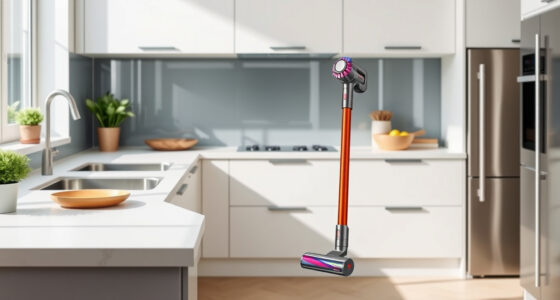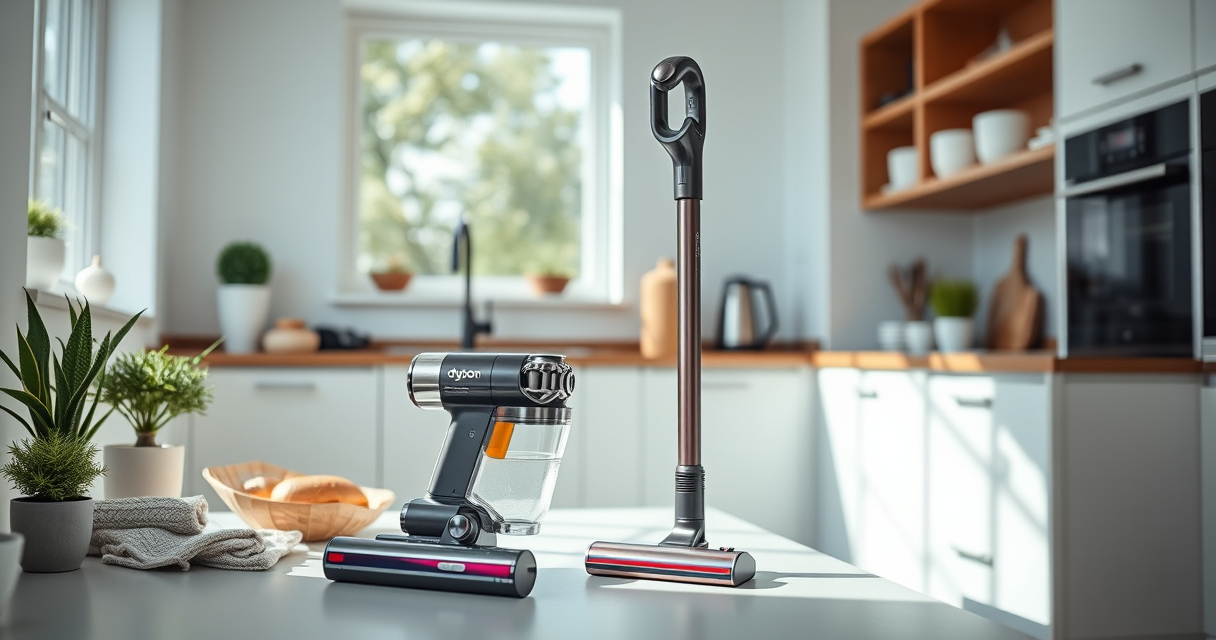
If your Dyson V15 Detect™ Origin cordless vacuum is losing battery life quickly, it can be frustrating. Several factors can cause the battery to die prematurely, from dirt buildup to worn-out filters. Fortunately, with a few simple steps, you can diagnose and address common issues to extend your vacuum’s runtime and keep it performing at its best.

Get home appliances delivered free — and shop member deals
- Fast, free delivery on millions of items
- Access to Prime Big Deal Days deals on October 6–7
- Prime Video, Amazon Music and more included
This guide provides clear, safe troubleshooting tips and fixes to help you restore your Dyson’s battery efficiency effectively.
Key Takeaways
| Battery health | A worn-out battery reduces runtime significantly. |
| Clogged filters | Dirty filters can cause the motor to work harder, draining the battery. |
| Overuse or high power mode | Consistently using maximum power shortens run time. |
| Dirty cleaner heads | Blocked or dirty heads impede airflow, affecting performance. |
Check and Replace the Filters
- Remove the pre-filters and main filters from your Dyson vacuum.
- Inspect them for dirt, dust, or clogging.
- If dirty, rinse the filters with water and let them air dry completely—usually 24 hours—before reinstalling.
- Replace filters if they appear worn or damaged to ensure optimal airflow.
Clean the Cleaner Heads
- Remove the cleaner heads and clear any hair or debris tangled around the brushes.
- Check for blockages in the air pathways and clear obstructions.
- Use a damp cloth to wipe the heads if necessary, ensuring they are dry before reattaching.
Check for Clogs and Blockages
- Inspect the wand, hose, and air pathways for debris or blockages.
- Remove any obstructions carefully, ensuring airflow is restored.
- Use a long, flexible brush or stick to dislodge stubborn clogs.
Optimize Power Usage
- Switch to a lower power mode if your model allows it, especially during light cleaning tasks.
- Use the ‘Power Trigger’ efficiently—only hold it as long as needed.
- Avoid constantly using maximum suction to preserve battery life.
Replace the Battery if Necessary
- Identify if the battery is old or no longer holding charge after troubleshooting other causes.
- Contact Dyson or authorized service providers for a replacement battery.
- Follow safety precautions when replacing the battery, or consider professional assistance.
The Products in This Guide

Dyson V15 Detect™ Origin Cordless Vacuum
- ✔ Battery Type: Rechargeable lithium-ion
- ✔ Run Time: Up to 60 minutes
- ✔ Weight: Lightweight design

LANMU Crevice Tool Vacuum Attachments Compatible
- ✔ Compatibility: Many Dyson cordless models
- ✔ Design: Slim, flexible
- ✔ Material: Durable plastic
Dyson V15 Detect™ Origin Cordless Vacuum
The Dyson V15 Detect™ Origin offers impressive cleaning power, intelligent debris detection, and a long 60-minute battery life. Regular maintenance, including filter cleaning and proper use, can significantly extend your battery life.
Pros:
- Powerful suction with intelligent mode
- Long runtime of 60 minutes
- LCD screen for real-time info
- Two advanced cleaner heads
Cons:
- Battery may degrade over time
- Filters require regular cleaning
- Battery replacement can be costly
Best for: Deep cleaning homes with pet hair or dirt buildup
Not ideal for: Short-term or quick cleanups where battery drain isn’t an issue
Bottom line: Regular maintenance and mindful usage can keep your Dyson V15 Detect™ running efficiently.
LANMU Crevice Tool Vacuum Attachments Compatible
The LANMU Crevice Tool Vacuum Attachments are perfect for reaching tight spots and corners, helping you clean more thoroughly and prevent debris buildup that can drain your vacuum’s battery.
Pros:
- Narrow and flexible design
- Compatible with various Dyson models
- Great for hard-to-reach areas
- Easy to attach and use
Cons:
- Additional attachment needed
- May not fit all Dyson models
- Requires careful handling to avoid damage
Best for: Cleaning corners, car interiors, and tight spaces
Not ideal for: Heavy-duty cleaning or large debris removal
Bottom line: This crevice tool helps you reach tricky spots, reducing debris buildup and battery drain.
Frequently Asked Questions
How often should I clean or replace my filters?
It’s best to rinse your filters every 2-3 months and replace them if they show signs of wear or damage to maintain optimal airflow and battery efficiency.
Can a clogged cleaner head affect battery life?
Yes, a blocked or dirty cleaner head can cause the motor to work harder, leading to faster battery drain and reduced runtime.
What should I do if my battery won’t hold a charge?
First, check and clean filters and remove blockages. If the battery still doesn’t hold charge after troubleshooting, consider replacing it through Dyson or authorized service providers.
Is it safe to rinse the filters with water?
Yes, most filters are washable. Be sure to let them dry completely before reinstalling to prevent damage or mold growth.
Keep Your Dyson Running Like New
Maintaining your Dyson V15 Detect™ Origin by cleaning filters, heads, and checking for blockages is key to preventing rapid battery drain. Regular upkeep not only extends battery life but also ensures your vacuum performs at its best for years to come. When necessary, replacing the battery can restore full runtime, giving you a powerful cleaning experience every time.
Affiliate disclosure: As an Amazon Associate we earn from qualifying purchases. Prices and availability are accurate as of the time of publishing.
Fall yard work Picks
leaf blowers
As an affiliate, we earn on qualifying purchases.