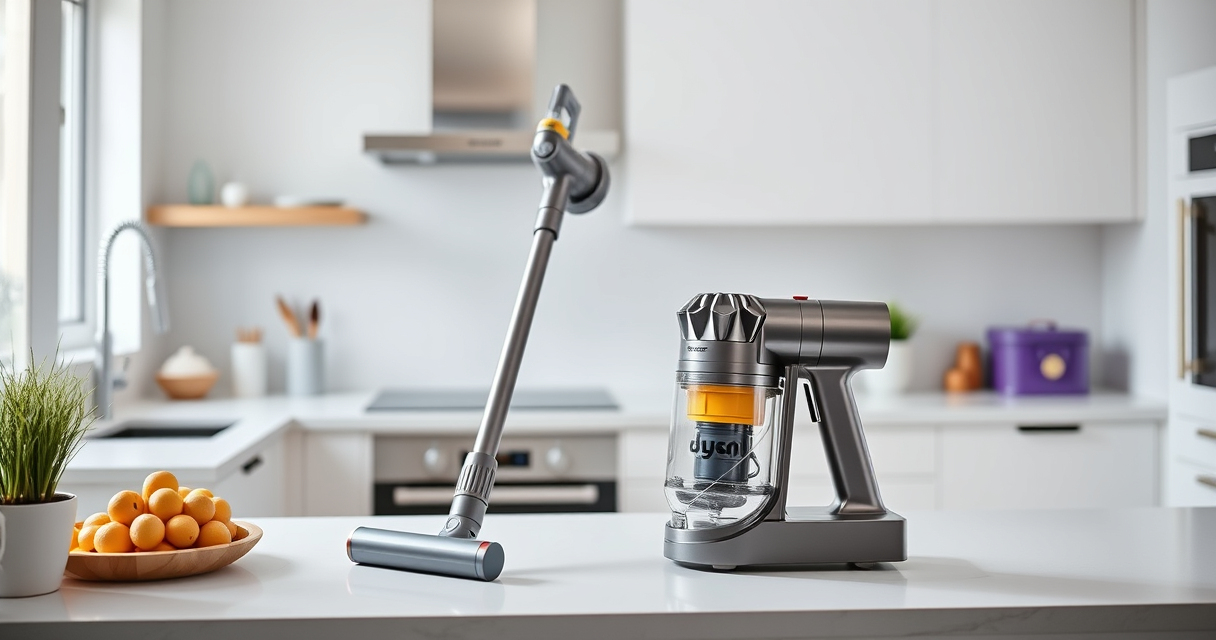
If your Dyson V15 Detect™ Origin Cordless Vacuum is pulsing on and off during use, it can be frustrating and disrupt your cleaning. This issue often indicates a problem with airflow, filters, or motor performance. Fortunately, most causes are manageable with simple troubleshooting steps.

Get home appliances delivered free with Prime
- Fast, free delivery on millions of items
- Prime Video, Amazon Music and more included
- Member-only deals all year
In this guide, you’ll find practical, step-by-step instructions to identify and fix the root causes safely, helping your vacuum operate smoothly again.
Key Takeaways
| Airflow blockages | Clogged filters or obstructions can cause pulsing. |
| Dirty filters | Filters need regular cleaning or replacement. |
| Motor or battery issues | Overheating or power problems can trigger pulsing. |
| Sensor or electronics malfunction | Faulty sensors or circuit issues may cause irregular operation. |
Check and Clean the Filters
- Turn off and unplug your Dyson vacuum for safety.
- Remove the pre-filters from the vacuum according to the user manual.
- Rinse the filters under cold water until clear. Do not use soap or detergents.
- Allow the filters to air dry completely—preferably for 24 hours—before reinstalling.
- Reattach the filters securely and test the vacuum.
Inspect for Blockages and Airflow Obstructions
- Check the wand, hose, and cleaner head for debris or blockages.
- Remove any visible obstructions carefully.
- Ensure the cleaner heads are free of hair or dirt buildup.
- Confirm all connections are tight and sealed properly.
Reset the Vacuum and Check the Battery
- Turn off the vacuum, then unplug or remove the battery if possible.
- Wait for a few minutes to allow internal electronics to reset.
- Reinstall the battery and power on the unit.
- Observe if pulsing persists during operation.
Update Firmware and Verify Sensor Function
If your Dyson has an LCD screen, check for any maintenance alerts or updates. Refer to the user manual for firmware update procedures. If problems continue, contact Dyson support for further diagnostics.
Additional Tips and Warnings
- Always use genuine Dyson filters and accessories to ensure compatibility and safety.
- Do not attempt to disassemble the motor or electrical components yourself.
- Regular maintenance, including filter cleaning and checks, can prevent pulsing issues.
- If the problem persists after troubleshooting, professional repair or replacement may be necessary.
The Products in This Guide

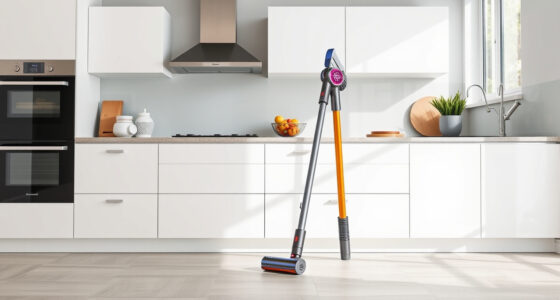
Dyson V15 Detect™ Origin Cordless Vacuum
- ✔ Color: Nickel/Blue
- ✔ Warranty: 2 years
- ✔ Weight: 6.8 lbs

LANMU Crevice Tool Vacuum Attachments Compatible
- ✔ Ease of Use: Simple attachment process
- ✔ Durability: High-strength plastic
- ✔ Storage: Compact for easy storage
Dyson V15 Detect™ Origin Cordless Vacuum
<p>The Dyson V15 Detect™ Origin offers powerful, intelligent cleaning with a variety of advanced features. Its ability to adapt power based on debris and floor type makes it a versatile choice for whole-home cleaning.</p><p>While pulsing can be frustrating, following the troubleshooting steps can often resolve the issue quickly and keep your vacuum performing at its best.</p>
Pros:
- Powerful suction
- Intelligent debris detection
- Long battery life
- Multiple attachments
Cons:
- Filters require regular cleaning
- Can be heavy for some users
- Price may be high for budget buyers
Best for: Deep cleaning homes with pets or heavy debris
Not ideal for: Users seeking ultra-lightweight or budget options
Bottom line: The Dyson V15 Detect™ Origin is a powerful, smart vacuum ideal for thorough home cleaning, with simple troubleshooting for pulsing issues.
LANMU Crevice Tool Vacuum Attachments Compatible
<p>This crevice tool attachment seamlessly extends your Dyson’s reach, ideal for narrow gaps in cars, furniture, or corners. Its slim profile allows for precise cleaning in tight spaces, complementing your main vacuum’s performance.</p><p>It’s especially useful when troubleshooting pulsing issues caused by debris in hard-to-access areas.</p>
Pros:
- Narrow nozzle for tight spaces
- Compatible with multiple Dyson models
- Flexible and durable design
- Easy to attach and use
Cons:
- May be too slim for larger debris
- Requires additional accessories for full cleaning
Best for: Cleaning narrow gaps, car interiors, and corners
Not ideal for: Heavy-duty cleaning of large debris or carpets
Bottom line: An essential accessory for reaching and cleaning those tricky spots with ease.
Frequently Asked Questions
Why is my Dyson vacuum pulsing on and off?
This can be caused by airflow restrictions, dirty filters, motor overheating, or electrical issues. Following proper cleaning and maintenance steps often resolves the problem.
How often should I replace or clean the filters?
Filters should be washed and dried thoroughly every 1-3 months, depending on usage, to maintain optimal airflow and performance.
Can I continue using my vacuum while troubleshooting?
It’s best to turn off and unplug the vacuum during maintenance to ensure safety. After cleaning or replacing parts, test the vacuum carefully.
When should I contact Dyson support?
If troubleshooting steps don’t resolve the pulsing issue, or if you suspect motor or electronic failures, contact Dyson support for professional assistance.
Keep Your Dyson Running Smoothly
Regular maintenance, including cleaning filters and inspecting airflow pathways, can prevent pulsing issues and extend your vacuum’s lifespan. When problems arise, following these troubleshooting steps typically restores optimal performance. Don’t hesitate to seek professional help if needed, ensuring your Dyson continues to deliver powerful cleaning for years to come.
Affiliate disclosure: As an Amazon Associate we earn from qualifying purchases. Prices and availability are accurate as of the time of publishing.
Fall Picks
fall essentials
As an affiliate, we earn on qualifying purchases.