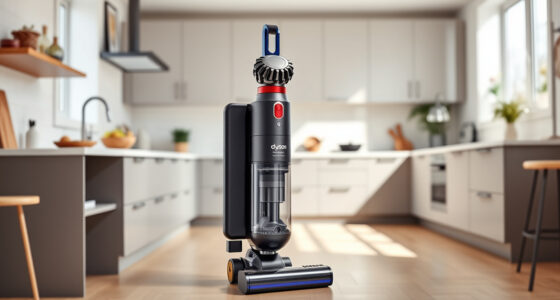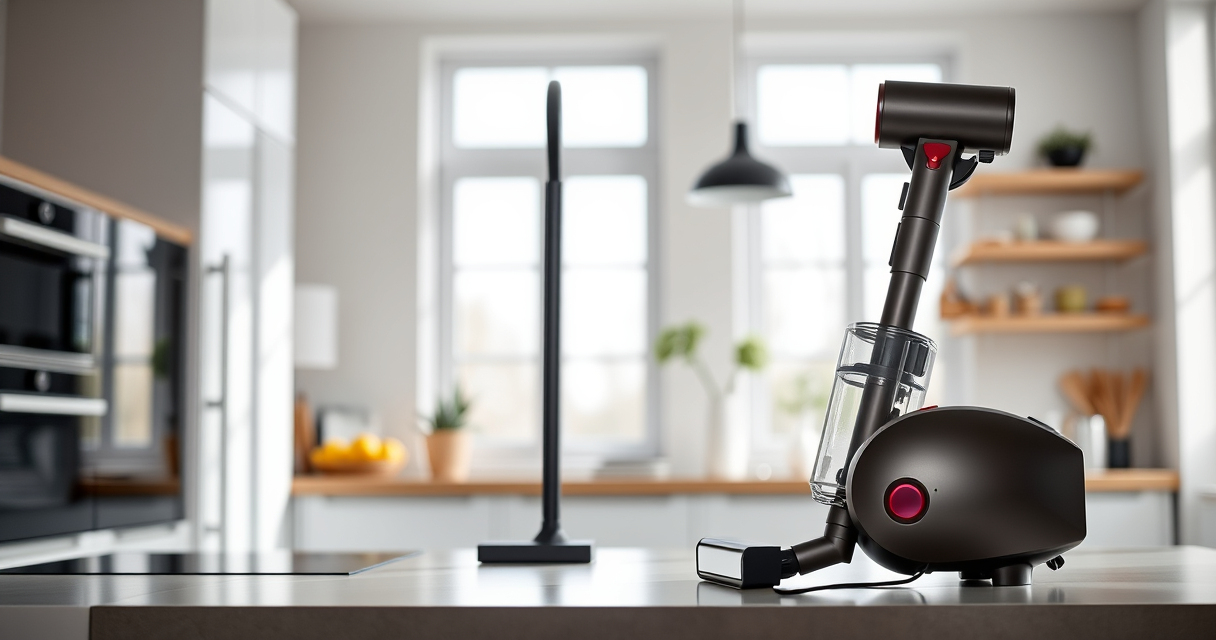

The Dyson V15 Detect™ Origin Cordless Vacuum is a powerful and intelligent cleaning tool designed for whole-home deep cleaning. With features like an LCD screen that shows particle counts, adaptive power modes, and advanced cleaner heads, it offers a high-tech cleaning experience. However, like any sophisticated device, it requires regular maintenance and troubleshooting to ensure it performs optimally. This guide provides practical, step-by-step instructions for caring for your Dyson V15, resolving common issues, and keeping it in top shape for years to come.

Get home appliances delivered free with Prime
- Fast, free delivery on millions of items
- Prime Video, Amazon Music and more included
- Member-only deals all year
Whether you’re experiencing decreased suction, error alerts, or want to keep your filters clean, this guide covers everything you need to know—safely and effectively.
Key Takeaways
| Regular Filter Maintenance | Clean and replace filters every 2-3 months to maintain suction and performance. |
| Battery and Runtime | Ensure battery is charged and check LCD for remaining run time; replace if performance drops. |
| Cleaning Nozzles and Heads | Check for blockages, tangles, or debris in the cleaner heads and crevice tools. |
| Troubleshooting Common Errors | Follow step-by-step resets and checks for LCD alerts or power issues. |
| Proper Storage and Care | Store in a dry place, avoid dropping, and periodically inspect for damage. |
1. Regular Filter Cleaning and Replacement
To keep your Dyson V15 Detect™ performing at its peak, regular cleaning and replacement of filters are essential. The vacuum uses filters like the 3Pack Pre Filters and Replacement V10 Filters, which can clog over time, reducing suction power and efficiency.
Step-by-step:
- Turn off and unplug the vacuum.
- Remove the filter(s) from the main body, following the manufacturer’s instructions.
- Rinse the filters under cold water without using soap. Gently squeeze out excess water.
- Allow the filters to air dry completely—at least 24 hours—before reinstalling.
- Replace filters every 2-3 months or sooner if performance declines.
Tips & Warnings: Avoid using hot water or washing filters with detergents. Do not dry filters in a dryer or microwave. Proper drying prevents mold growth and damage.
2. Checking and Clearing Blockages
Blockages in the cleaner head, crevice tools, or wand can significantly reduce suction and cleaning effectiveness. Regular inspection is key.
Step-by-step:
- Turn off and disconnect the vacuum from power.
- Detach the cleaner head, crevice tool, and wand one at a time.
- Inspect each for debris, hair, or dust clogs.
- Use a long, flexible brush or a small stick to dislodge any obstructions.
- Rinse removable parts with water if needed, then thoroughly dry before reassembling.
Tips & Warnings: Never immerse the motor or electrical parts in water. Regularly cleaning these components prevents performance issues and prolongs device life.
3. Troubleshooting Power and Error Alerts
If your Dyson V15 detects a problem, the LCD screen will display alerts or error codes. Address these promptly to prevent further damage.
Step-by-step:
- Check the LCD screen for specific alerts, such as ‘Filter Dirty’ or ‘Motor Malfunction.’
- Follow the instructions provided on the screen.
- Perform a reset by turning off the vacuum, removing the battery (if removable), and reinserting it after a few minutes.
- Reinstall filters if they are dirty or clogged.
- Test the vacuum for proper operation after troubleshooting.
Tips & Warnings: Always refer to the user manual for specific error codes. Avoid ignoring alerts; timely maintenance prevents costly repairs.
4. Battery Care and Maximizing Run Time
The battery is critical for cordless operation. Over time, battery capacity may decline, affecting run time.
Step-by-step:
- Charge the vacuum fully before use.
- Avoid letting the battery completely discharge regularly.
- Store the vacuum in a cool, dry place when not in use for extended periods.
- If run time diminishes significantly, consider replacing the battery or contacting Dyson support.
Tips & Warnings: Use only compatible replacement batteries. Do not expose batteries to extreme heat or moisture to prevent damage or fire hazards.
5. Proper Storage and General Maintenance
Proper care extends the lifespan of your Dyson V15 Detect™ and keeps it ready for use.
Step-by-step:
- Store in a dry, sheltered place away from direct sunlight.
- Check for any physical damage or loose parts periodically.
- Clean the dust canister and filters regularly to prevent buildup.
- Ensure all attachments are dry and free of debris before storing.
Tips & Warnings: Avoid dropping or mishandling the vacuum to prevent internal damage. Regularly inspecting your device helps catch issues early.
The Products in This Guide

Dyson V15 Detect™ Origin Cordless Vacuum
- ✔ Charge Time: 3.5 hours
- ✔ Dustbin Capacity: 0.2 gallons
- ✔ Noise Level: Less than 80 dB

LANMU Crevice Tool Vacuum Attachments Compatible
- ✔ Nozzle Width: 1 inch
- ✔ Flexibility: High
- ✔ Material: Plastic
Dyson V15 Detect™ Origin Cordless Vacuum
The Dyson V15 Detect™ Origin Cordless Vacuum delivers exceptional cleaning with smart features and powerful suction. Regular maintenance ensures it remains effective for years to come.
Pros:
- High suction power
- Advanced particle detection
- Long battery life
- Smart LCD display
Cons:
- Filter cleaning required regularly
- Battery replacement can be costly
- Heavier than some cordless vacuums
Best for: Deep cleaning across all floor types, pet hair removal, car and upholstery cleaning
Not ideal for: Users seeking ultralight or budget-friendly options
Bottom line: Regular care and troubleshooting keep your Dyson V15 performing at its best.
LANMU Crevice Tool Vacuum Attachments Compatible
The LANMU Crevice Tool Vacuum Attachments fit Dyson V15 models perfectly, helping you reach tight corners and tricky spaces effortlessly, making your cleaning more thorough.
Pros:
- Narrow and flexible design
- Compatible with multiple Dyson models
- Easy to attach and use
- Ideal for cars and furniture
Cons:
- Not suitable for V6 or canister models
- May require careful handling in tight spaces
- Plastic build might feel less durable
Best for: Cleaning corners, edges, car interiors, and upholstery
Not ideal for: Heavy-duty cleaning of large debris
Bottom line: A versatile tool that enhances your Dyson’s reach and cleaning thoroughness.
Frequently Asked Questions
How often should I clean the filters on my Dyson V15?
It is recommended to rinse the filters with water every 2-3 months and let them dry completely before re-installing to maintain optimal suction.
What should I do if my vacuum loses suction?
Check for blockages in the cleaner head, wand, and crevice tools. Clean or clear any debris. Also, ensure filters are clean and properly installed.
Can I replace the battery on my Dyson V15?
Yes, if your battery’s capacity diminishes significantly, you can replace it with a compatible battery or contact Dyson support for assistance.
How do I reset my Dyson V15 if it shows an error?
Turn off the vacuum, remove the battery (if removable), wait a few minutes, then reinsert the battery and turn it back on. Follow specific error instructions on the LCD screen.
Is it safe to wash the filters with water?
Yes, but only rinse the filters under cold water without soap, and ensure they are completely dry before reusing to prevent mold and damage.
Keep Your Dyson V15 Detect™ Performing Perfectly
With regular cleaning, timely filter replacements, and attentive troubleshooting, your Dyson V15 Detect™ Origin Cordless Vacuum will continue to deliver powerful, intelligent cleaning. Proper maintenance not only extends the lifespan of your device but also ensures optimal performance for your daily cleaning routine. Follow these step-by-step tips, stay vigilant for common issues, and enjoy a cleaner home with your high-tech vacuum.
Affiliate disclosure: As an Amazon Associate we earn from qualifying purchases. Prices and availability are accurate as of the time of publishing.
NFL season / tailgating Picks
team gear
As an affiliate, we earn on qualifying purchases.