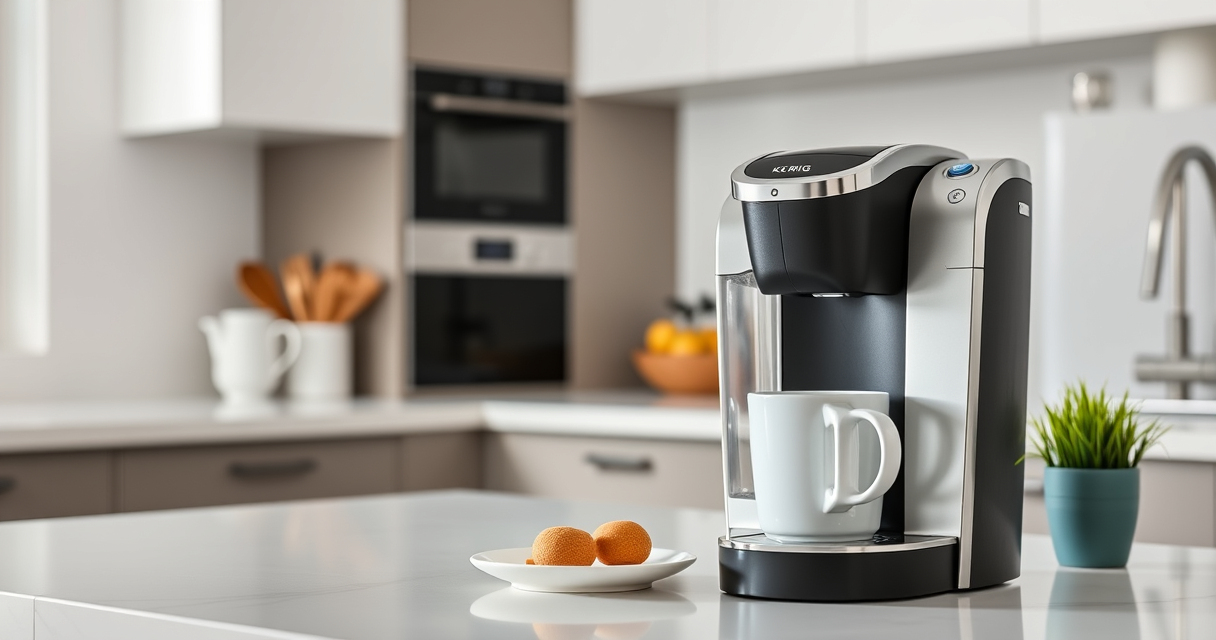

Regular maintenance of your Keurig coffee maker is essential to keep it brewing fresh-tasting coffee and functioning efficiently. Whether it’s your first time cleaning or you’re troubleshooting common issues, this guide provides clear, practical steps to help you care for your Keurig K-Mini Single Serve Coffee Maker.

Get home appliances delivered free with Prime
- Fast, free delivery on millions of items
- Prime Video, Amazon Music and more included
- Member-only deals all year
From descaling to cleaning the water reservoir, each step is designed to be safe, easy, and effective, ensuring your machine continues to deliver quality coffee every day.
Key Takeaways
| Regular Descaling is Key | Descale your machine every 3 months to prevent mineral buildup. |
| Clean the Brew Path | Rinse the K-Cup holder and needle regularly to avoid clogs. |
| Use Proper Cleaning Tools | Use approved rinse pods and cleaning solutions for safe maintenance. |
| Replace Water Filter Cartridges | Update water filters periodically to improve taste and protect the machine. |
Preparing for Maintenance
Before you start any cleaning or descaling process, ensure your Keurig is unplugged and cooled down. Gather the necessary supplies: descaling solution, rinse pods, water, and a clean cloth. For best results, perform maintenance in a well-lit, ventilated space. This preparation helps prevent accidental spills and ensures your safety throughout the process.
Cleaning the Brew Area and K-Cup Holder
- Remove the water reservoir and wash it with warm, soapy water. Rinse thoroughly and dry.
- Detach the drip tray and wash it with warm soapy water, then dry completely.
- Open the brew head and carefully remove any residual coffee grounds or debris.
- Use a soft brush or paper clip to clean the needle and prevent clogging.
- Wipe the exterior with a damp cloth to remove dust and fingerprints.
This routine keeps your brew area clean and functioning smoothly, avoiding flavor carry-over and clogs.
Descaling Your Keurig
Mineral deposits can build up inside your Keurig over time, affecting performance and flavor. To descale, follow these steps:
- Fill the water reservoir with a descaling solution or a mixture of equal parts water and white vinegar.
- Place a large mug on the drip tray.
- Run a brew cycle without a K-Cup, allowing the solution to pass through.
- Repeat the process until the reservoir is empty, then let the machine sit for 30 minutes to loosen deposits.
- Flush the machine by running 2-3 brew cycles with fresh water to rinse out any residue.
Descaling should be done every three months or more frequently if you have hard water.
Replacing Water Filter Cartridges
To maintain water quality and flavor, regularly replace the water filter cartridge. Remove the old cartridge from the water reservoir, rinse the new one with water, and insert it into the filter holder. Refill the reservoir with fresh water. This small maintenance step helps reduce impurities and extends the lifespan of your Keurig.
Troubleshooting Common Issues
If your Keurig isn’t brewing properly, check for these common problems:
- Machine not turning on: Ensure it’s plugged in and the power outlet is functional.
- Leaks or drips: Confirm the brew head and water reservoir are properly seated.
- Clogged needle: Clean the needle with a paper clip or needle cleaning tool.
- Weak brew or no water flow: Descale the machine or replace the water filter.
Following these steps can resolve most operational issues without needing professional repair.
The Products in This Guide

Keurig K-Mini Single Serve K-Cup Pod Coffee Maker
- ✔ Weight: 5 lbs
- ✔ Power: 120V, 60Hz
- ✔ Capacity: Removable drip tray

My K-Cup® Reusable Coffee Filter
- ✔ Durability: High-quality plastic
- ✔ Ease of Use: Simple to fill and clean
- ✔ Environmental Impact: Reduces waste
Keurig K-Mini Single Serve K-Cup Pod Coffee Maker
The Keurig K-Mini Single Serve K-Cup Pod Coffee Maker is a versatile, space-saving machine that brews quick, fresh coffee. Its compact design fits any small space, and it offers a range of brew sizes from 6 to 12 ounces, making it perfect for single servings. Easy to clean and energy-efficient, it’s a reliable choice for daily coffee lovers.
Pros:
- Space-saving design
- Fast brewing
- Brews multiple cup sizes
- Removable drip tray
Cons:
- Limited water reservoir capacity
- No on/off switch
- Requires frequent descaling in hard water areas
Best for: Small kitchens, office desks, dorm rooms
Not ideal for: Heavy users needing large capacity or continuous brewing
Bottom line: A compact, efficient coffee maker ideal for small spaces and quick brews.
My K-Cup® Reusable Coffee Filter
The My K-Cup® Reusable Coffee Filter is a perfect accessory for those who prefer ground coffee or want to reduce waste. Compatible with the Keurig K-Mini and other models, it allows you to brew your favorite beans with ease and convenience. It’s a durable, eco-friendly choice that enhances your coffee experience.
Pros:
- Brew with ground coffee
- Easy to clean
- Fits all Keurig models
- Reusable and eco-friendly
Cons:
- Requires measuring ground coffee
- May need periodic replacement
- Less convenient than K-Cups for busy mornings
Best for: Coffee enthusiasts who prefer grind control
Not ideal for: For those who only use K-Cup pods
Bottom line: A reliable reusable filter for customizing your coffee brew with ground beans.
Frequently Asked Questions
How often should I descale my Keurig K-Mini?
It’s recommended to descale your Keurig every three months, especially if you have hard water, to prevent mineral buildup and ensure optimal brewing performance.
Can I use the Keurig without a water filter?
Yes, but using a water filter helps improve water quality and taste, as well as prolong the life of your machine. It’s advisable to replace the filter cartridge regularly.
Why is my Keurig leaking?
Leaks can occur if the water reservoir isn’t properly seated or if the brew head is clogged. Cleaning the needle and ensuring all parts are correctly assembled can resolve this issue.
How do I clean the needle in my Keurig?
Use a paper clip or a Keurig needle cleaning tool to gently clear any debris or coffee grounds blocking the needle. Be sure to do this carefully to avoid damage.
What should I do if my Keurig isn’t brewing enough water?
Perform a descaling cycle, check for clogs, and replace the water filter if necessary. Also, ensure the water reservoir is filled and properly positioned.
Keep Your Keurig Brewing Perfectly
Regular maintenance, including cleaning, descaling, and replacing filters, is essential to enjoy fresh, flavorful coffee every day. With proper care, your Keurig K-Mini will serve you reliably for years to come, offering convenience in a compact design. Follow these step-by-step tips to troubleshoot issues and keep your machine in top shape, ensuring your mornings start right every time.
Affiliate disclosure: As an Amazon Associate we earn from qualifying purchases. Prices and availability are accurate as of the time of publishing.
Halloween Picks
halloween
As an affiliate, we earn on qualifying purchases.