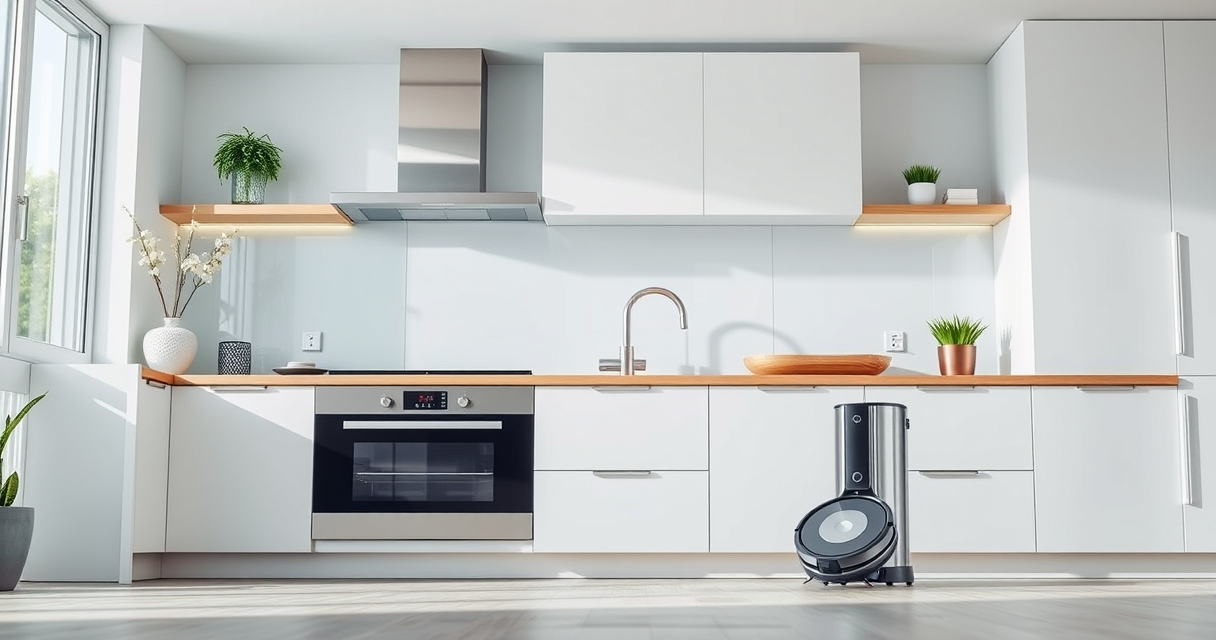
If your Roborock Q7 M5+ Robot Vacuum and Mop keeps getting stuck during cleaning, it can be frustrating and impact your home’s cleanliness. Understanding common causes and how to fix them can save you time and prevent future issues. This guide walks you through practical, step-by-step solutions to help your robot operate smoothly again.

Get home appliances delivered free — and shop member deals
- Fast, free delivery on millions of items
- Access to Prime Big Deal Days deals on October 6–7
- Prime Video, Amazon Music and more included
From checking obstacles to adjusting settings, you’ll learn how to troubleshoot safely and effectively, ensuring your Roborock maintains optimal performance without unnecessary interruptions.
Key Takeaways
| Obstacle awareness | Many stuck issues are caused by obstacles or clutter. |
| Floor type considerations | Uneven or reflective surfaces can confuse navigation. |
| Sensor cleaning | Dirty sensors can impair obstacle detection. |
| Mapping & path issues | Re-mapping may be needed if navigation is inconsistent. |
| Regular maintenance | Consistent cleaning of brushes and sensors prevents getting stuck. |
Identify the Cause of Stuck Situations
- Check for visible obstacles like cords, small objects, or loose rugs that may block the vacuum’s path.
- Observe the area where the robot gets stuck—look for uneven surfaces, thick rugs, or reflective surfaces that may confuse sensors.
- Review the robot’s navigation map through the app to see if it’s misreading certain areas.
Clear Obstructions and Adjust Environment
- Remove small objects, cords, or clutter from the robot’s usual cleaning path.
- Flatten or secure rugs and carpets, especially if they have fringes or uneven edges.
- Adjust or temporarily disable reflective or shiny surfaces that could mislead sensors.
Clean Sensors and Wheels
- Turn off the robot and gently clean the cliff sensors and bumper sensors with a soft cloth or a cotton swab.
- Check the wheels for hair, pet hair, or debris and remove any tangles or blockages.
- Regular maintenance ensures sensors and wheels operate smoothly and prevents getting stuck.
Update Navigation Settings and Re-map
- Open the Roborock app and verify your robot’s firmware is up to date.
- If navigation issues persist, initiate a re-mapping process to improve accuracy.
- Adjust no-go zones or virtual barriers if certain areas repeatedly cause issues.
Additional Tips & Warnings
- Ensure the robot’s firmware is always current for optimal navigation performance.
- Avoid placing objects that can shift or move during cleaning, like loose rugs or lightweight cords.
- Always turn off and unplug the robot before cleaning sensors or wheels to prevent injury or damage.
The Products in This Guide

roborock Q7 M5+ Robot Vacuum and Mop
- ✔ Dust Capacity: 2.7L
- ✔ Max Runtime: Extended
- ✔ Weight: Lightweight

4 Pack Washable Filter
- ✔ Material: HEPA
- ✔ Washable: Yes
- ✔ Pack: 4
roborock Q7 M5+ Robot Vacuum and Mop
The Roborock Q7 M5+ Robot Vacuum and Mop offers up to 7-9 weeks of self-emptying, 10000Pa suction, and PreciSense LiDAR navigation, making it a reliable cleaning companion. However, occasional obstacles can cause it to get stuck, requiring troubleshooting.
Pros:
- Strong suction power
- Self-emptying feature
- Dual anti-tangle system
- App control
Cons:
- Can get stuck on obstacles
- Requires regular sensor cleaning
- Navigation may need re-calibration
Best for: Pet owners and large homes needing thorough, hands-free cleaning
Not ideal for: Homes with lots of clutter or complex layouts without initial setup
Bottom line: A strong, feature-rich robot vacuum that benefits from regular troubleshooting to prevent getting stuck.
4 Pack Washable Filter
Replacing your filters regularly with the 4 Pack Washable Filter ensures your Roborock maintains optimal suction and air quality, reducing the risk of clogs that lead to getting stuck.
Pros:
- Cost-effective
- Replaces OEM filters
- Easy to wash
- Maintains suction
Cons:
- Requires periodic washing
- Not OEM
- Limited to specific models
Best for: Maintaining peak vacuum performance and clean air
Not ideal for: If not compatible with your model or if you prefer OEM parts
Bottom line: A practical upgrade to keep your vacuum running efficiently and prevent clogs.
Frequently Asked Questions
Why does my Roborock get stuck on certain spots?
Common causes include obstacles like cords, uneven surfaces, or reflective floors confusing sensors. Cleaning sensors and clearing obstacles usually resolve this.
How often should I clean the sensors and wheels?
For optimal performance, clean sensors and wheels weekly or whenever you notice navigation issues or reduced suction.
Can I re-map my Roborock if it keeps getting stuck?
Yes, using the app, you can initiate a new mapping to improve navigation accuracy and adjust no-go zones to prevent the robot from entering problem areas.
What safety precautions should I take during troubleshooting?
Always turn off and unplug the robot before cleaning sensors and wheels to avoid injury or damage. Use a soft cloth and avoid harsh chemicals.
Keeping Your Roborock Moving Smoothly
Regular maintenance, environment adjustments, and keeping the software up to date are key to preventing your Roborock from getting stuck. With these simple troubleshooting steps, you can ensure your robot vacuum cleans efficiently without interruptions, maintaining a clean home with less hassle.
Affiliate disclosure: As an Amazon Associate we earn from qualifying purchases. Prices and availability are accurate as of the time of publishing.
Fall yard work Picks
leaf blowers
As an affiliate, we earn on qualifying purchases.