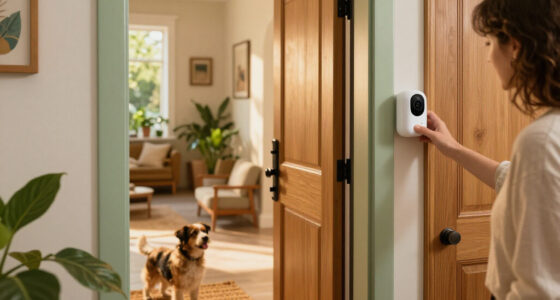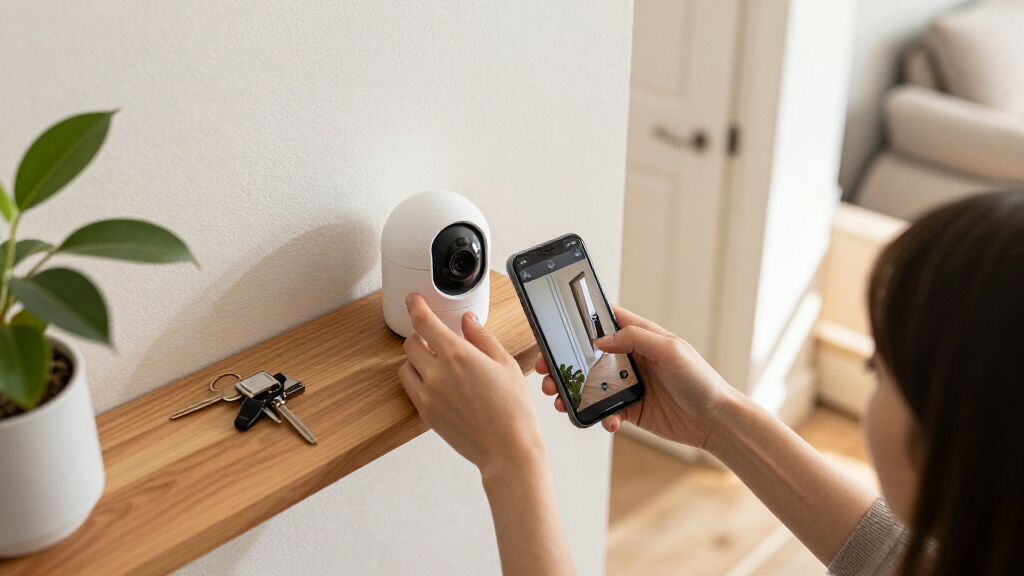

Choosing a smart home security camera is often less about finding the longest feature list and more about deciding how much installation and upkeep you are willing to accept. Wired cameras are connected to power by a cable, and some also use a cable for network access or recording. Wireless models send video over Wi-Fi and either run on batteries or plug into an outlet. That difference shapes where each camera can go, how reliably it records, and what it costs to maintain.

Get home appliances delivered free with Prime
- Fast, free delivery on millions of items
- Prime Video, Amazon Music and more included
- Member-only deals all year

Blink Outdoor 4 Wireless Smart Security Camera System (5 Cameras)
- ✔ Camera count: 5
- ✔ Resolution: 1080p HD
- ✔ Field of view: 143° diagonal
Blink Outdoor 4 Wireless Security Camera System, 3 Cameras
- ✔ Camera count: 3
- ✔ Video resolution: 1080p HD
- ✔ Night vision: Infrared
Blink Outdoor 4 Wireless Security Camera System, 2 Cameras
- ✔ Camera count: 2
- ✔ Video resolution: 1080p HD
- ✔ Night vision: Infrared
Wired systems make more sense for fixed locations, frequent recording, and owners willing to handle cable routing or hire an installer. Wireless cameras suit renters, people who want quick setup, and homes where mounting near an outlet is impractical. Neither label guarantees better image quality, privacy, or subscription terms: those depend on the individual product. The central tradeoff is dependable, continuous operation versus flexible placement and simpler installation.
At a Glance
| Criteria | Wired smart security cameras | Wireless smart security cameras | Winner |
|---|---|---|---|
| Installation and placement | Requires power cabling; network cabling may also be available. Best for permanent positions. | Usually quick to mount and configure; placement depends on Wi-Fi and power or battery access. | B |
| Power and upkeep | Usually receives continuous power; little battery maintenance. | Battery models need recharging or replacement; plug-in models still need an outlet. | A |
| Connection and recording reliability | A wired network connection can reduce dependence on Wi-Fi; power still depends on the home circuit. | Depends on Wi-Fi quality and signal at the camera; outages can interrupt access or recording. | A |
| Storage and subscriptions | Some systems record to a local hub or recorder; cloud plans vary by product. | May offer cloud plans, local storage, or both; features differ by model. | Depends |
| Coverage and recording style | Well suited to continuous recording and frequent activity. | Often uses motion-triggered recording to conserve battery, with possible missed activity. | A |
| Privacy and security | May support local storage, but account security and software practices still matter. | Wireless signals and cloud accounts require strong security settings; local recording is product-dependent. | Depends |
| Long-term cost | Installation can cost more upfront; less battery replacement or charging over time. | Lower setup costs are common, but batteries, solar accessories, or subscriptions may add expense. | Depends |
Blink Outdoor 4 Wireless Smart Security Camera System (5 Cameras)
When we want to watch several sides of a home without running power cables, this five-camera bundle gives us the most complete starting layout in this group. Five 1080p Outdoor 4 cameras can be assigned to separate entrances, a driveway, a back garden, or other priority areas, while the shared platform adds infrared night vision, two-way audio, and Alexa control. Compared with the three-camera bundle, its advantage is straightforward: it can cover more locations before we need to expand the system.The wireless design is especially useful where outlets are scarce, and the listed battery life of up to two years can mean less frequent battery attention than a system that needs regular charging. Enhanced dual-zone motion detection is intended to help narrow alerts to relevant areas. That said, five cameras are only worthwhile if we have places that need monitoring; otherwise, we are managing extra devices without gaining meaningful coverage. The included ten AA batteries and mounting kits make the kit ready for a multi-location setup, but installation still means choosing sensible camera positions and maintaining Wi-Fi access.The biggest qualification is video retention. Its Sync Module Core does not include local storage, so buyers who want saved clips should account for the subscription or additional hardware path rather than assuming the hub keeps recordings. Person detection also requires an optional paid plan, and cloud storage after the 30-day trial is subscription-based. The three-camera version shares these limitations, so the five-camera system is a better fit only when the extra viewpoints justify the larger setup. We should skip it if local recording without an ongoing plan is a firm requirement.
Pros:
- Five cameras support broader coverage than either smaller bundle.
- 1080p live view, infrared night vision, and two-way audio are included.
- Battery life is rated for up to two years, reducing routine battery changes.
- Alexa compatibility and enhanced dual-zone motion detection support convenient monitoring.
Cons:
- Sync Module Core does not include local video storage.
- Cloud retention beyond the trial and person detection can require a paid subscription.
- Five devices take more effort to position, connect, and manage than the smaller kits.
Best for: Households that need wireless coverage at several entrances, outdoor zones, or detached areas and are comfortable with Blink’s storage options.
Not ideal for: Buyers with only one or two monitoring locations, or anyone who requires included local recording and subscription-free person detection.
Bottom line: We recommend this bundle when broad, wire-free coverage matters more than a compact setup or included local recording.
“We recommend this bundle when broad, wire-free coverage matters more than a compact setup or included local recording.”
Blink Outdoor 4 Wireless Security Camera System, 3 Cameras
For many homes, three cameras offer the most practical compromise between a single entry-point setup and a full perimeter approach. We can assign them to a front entrance, driveway, and back door, for example, without taking on the five-device footprint of the largest kit. It uses the same 1080p video, infrared night vision, and two-way talk as the five-camera system, so stepping down in camera count does not mean giving up the core camera features.This bundle is best understood as a coverage decision, not a lower-feature model. It includes enhanced dual-zone motion detection and works with Alexa, as do the other two options. Its rated up-to-two-year battery life is also shared across the range. Compared with the two-camera set, the third camera gives us more flexibility to monitor another approach or outdoor area; compared with the five-camera bundle, it keeps the installation and ongoing device management simpler. For buyers who can name three useful camera locations but not five, that balance is compelling.Its limitations remain the same ones we need to consider across the lineup. The Sync Module Core does not provide local storage, and the product description says cloud storage requires a subscription; person detection is available through an optional Blink plan. The included six lithium AA batteries and mounting kits help get the three cameras placed, but they do not change the system’s reliance on Blink’s storage choices. Choose the five-camera kit if several additional zones need coverage, or the two-camera bundle if a third view would be redundant. We should look elsewhere if our priority is recording locally without buying extra hardware or maintaining a subscription.
Pros:
- Three cameras cover more priority zones than the two-camera bundle without matching the larger kit’s device count.
- Provides 1080p video, infrared night vision, and two-way audio.
- Up to two years of rated battery life supports a wire-free installation.
- Alexa compatibility and enhanced motion detection are included.
Cons:
- The included Sync Module Core does not offer local storage.
- Cloud storage and person detection may require a paid plan.
- Local backup hardware is separate, adding another decision for buyers who want recordings.
Best for: Buyers who need to monitor three priority areas and want a middle ground between the smaller two-camera kit and broader five-camera coverage.
Not ideal for: Homes needing a larger number of viewpoints, or buyers seeking included local storage and subscription-free person detection.
Bottom line: We see this as the strongest middle-ground choice when three well-placed cameras cover the home’s essential zones.
“We see this as the strongest middle-ground choice when three well-placed cameras cover the home’s essential zones.”
Blink Outdoor 4 Wireless Security Camera System, 2 Cameras
The two-camera set is the most restrained way into this Blink lineup. It makes sense when we have two clear jobs for cameras—such as watching the front door and a garage entrance—rather than trying to cover every side of a property. We still get the same 1080p live view, infrared night vision, two-way audio, and enhanced motion detection found in the larger bundles, so the tradeoff is fewer viewpoints, not a stripped-down camera experience.Compared with the three-camera package, this option asks us to prioritize locations more carefully. That can be an advantage in a small home or apartment, where an extra camera may add clutter instead of useful visibility. It is also the easiest of these systems to manage as a first setup: there are fewer devices to mount and monitor, and Alexa compatibility provides a shared smart-home control route. The included four lithium AA batteries support the stated battery-life rating of up to two years, though real-world use can vary.We should not confuse the smaller bundle with a cheaper way to avoid ongoing storage decisions. Like its siblings, it includes the Sync Module Core without local storage; local backup accessories are sold separately, and cloud retention after the trial requires a subscription. Person detection is also an optional paid feature. The two-camera system is therefore the right choice when two views are enough, not when we want the fullest coverage or the strongest standalone recording setup. Choose the three-camera model if a third zone is genuinely important; consider a different camera ecosystem if local storage is a must-have out of the box.
Pros:
- Two cameras suit focused monitoring without managing a larger multi-camera system.
- Includes 1080p live view, infrared night vision, and two-way audio.
- Rated for up to two years of battery life with included lithium AA batteries.
- Alexa compatibility and enhanced motion detection are part of the shared platform.
Cons:
- Two viewpoints may leave important entrances or outdoor zones unmonitored.
- The included Sync Module Core does not support local storage.
- Person detection and cloud retention beyond the trial can require a subscription.
Best for: Apartment residents, small households, or buyers who want to monitor two specific locations with a simple wireless Alexa-compatible setup.
Not ideal for: Buyers who need three or more camera positions, or who require local recording without separate hardware.
Bottom line: We would choose this set for two well-defined monitoring points, but not as a substitute for broader coverage or included local recording.
“We would choose this set for two well-defined monitoring points, but not as a substitute for broader coverage or included local recording.”
As an Amazon Associate we earn from qualifying purchases.
Key Differences
The biggest practical gap appears after installation. A wired camera can stay powered and record continuously when its system supports that mode, making it a stronger fit for busy entrances, driveways, and other areas where a brief motion-triggered clip may not be enough. Wired networking, when included, can also avoid weak Wi-Fi at the camera. These benefits come with fixed placement and the work of routing cables; outdoor installations may need weather-rated equipment and suitable cable protection.
Wireless cameras reverse the priorities. They are easier to mount without running a new cable and can be moved when needs change, which matters in rentals or homes with awkward layouts. But a battery camera must wake, detect activity, and record within its power limits; its recording schedule and battery life can vary with traffic, settings, temperature, and signal quality. A wireless camera that plugs into an outlet avoids battery charging, but still depends on a convenient power point and Wi-Fi.
There is no format-wide winner for storage, privacy, or price. Some wired cameras still require cloud subscriptions, while some wireless models offer local recording. Compare the specific camera’s recording options, subscription requirements, outage behavior, and security support before buying. The best choice is the one whose power and connection plan matches the location, not simply the one labeled wired or wireless.
Detailed Comparison
Installation and placement (Wireless smart security cameras wins — major)
Wireless takes a clear, moderate-to-major lead for convenience: many models can be mounted and joined to Wi-Fi without routing camera cable through walls. That makes them easier to reposition and more practical for renters. Wired systems require a route to power, and some require a separate network cable or a central recorder connection. The work is manageable in an unfinished space but can call for drilling or professional installation in a finished home. Wireless placement is not unlimited, though: battery cameras need occasional access for charging, while plug-in cameras need an outlet and a usable Wi-Fi signal.
Power and upkeep (Wired smart security cameras wins — major)
Wired wins by a major margin for owners who want a camera to stay on without routine battery attention. Continuous power supports frequent use without taking the device down to recharge, although outages can still interrupt operation unless the system has backup power. Battery-powered wireless cameras reduce cable work but add recurring maintenance; heavy activity and settings that keep the camera awake can shorten time between charges. Plug-in wireless cameras narrow this gap, but their location is constrained by outlets.
Connection and recording reliability (Wired smart security cameras wins — moderate)
Wired has a moderate advantage when the system uses a direct network connection or stores footage on a local recorder. That can reduce exposure to weak Wi-Fi and internet interruptions, though the camera still needs power and the recorder must remain available. Wireless cameras rely on a strong signal where they are mounted; thick walls, distance, and network congestion can affect performance. Some wireless models continue recording locally during an internet outage, so check whether the camera preserves footage or merely loses remote access. A Wi-Fi camera is not automatically unreliable, but its placement and network matter more.
Storage and subscriptions (moderate difference)
There is no consistent winner. Wired systems often pair naturally with a recorder or local storage, which can provide access to footage without a recurring cloud plan. Yet a wired camera may still lock useful playback features behind a subscription. Wireless cameras vary just as widely: some accept memory cards or connect to a local hub, while others depend heavily on cloud recording. The practical difference is in the exact plan and outage behavior, not the power connection. Compare how long recordings are kept, which alerts need a subscription, and whether local footage remains accessible if internet service stops.
Coverage and recording style (Wired smart security cameras wins — moderate)
Wired is generally better for continuous coverage, a moderate advantage in places where activity happens often or where a complete timeline matters. Steady power makes continuous recording more practical, provided the camera and recording system support it and storage capacity is sufficient. Many battery wireless cameras record short clips after detecting motion to preserve charge. That can work well for a quiet side gate, but an event may start before detection or fall between clips. Some wireless cameras are plug-in and support longer recording, so confirm the particular model’s recording modes rather than assuming all wireless cameras behave alike.
Privacy and security (moderate difference)
Neither category wins by itself; the difference is product design and configuration. Wired cameras with local recording can limit how much video depends on a cloud account, but remote viewing may still use online services. Wireless cameras transmit over Wi-Fi and may send footage to a provider, so account protection and network security deserve attention. For either type, look for supported software updates, strong account authentication, clear retention controls, and a way to disable audio or recording when appropriate. A local-storage option helps only if it is configured securely and the recorder is protected.
Long-term cost (moderate difference)
The cost winner depends on the installation and the product’s ongoing charges. Wireless often costs less to set up when it avoids an installer or cable work, but battery replacements, charging accessories, or a cloud subscription can add up. Wired can demand a larger initial outlay for equipment and installation, particularly when cable routes are difficult, but continuous power avoids battery upkeep. Neither connection type guarantees free recording. Compare the total cost over several years, including subscriptions and installation, rather than judging by the camera’s shelf price alone.
Wired smart security cameras: Pros and Cons
Pros:
- Continuous power suits frequent recording and high-traffic locations.
- Wired networking or local recording may reduce dependence on Wi-Fi and cloud access.
- No routine battery charging for cameras connected to fixed power.
Cons:
- Cable routing can make installation slower, more expensive, or unsuitable for renters.
- Fixed wiring limits how easily a camera can be moved.
- A wired connection does not guarantee local storage, subscription-free use, or operation during a power cut.
Wireless smart security cameras: Pros and Cons
Pros:
- Usually faster to install without routing a camera cable through the home.
- Flexible placement suits rentals, temporary monitoring, and changing needs.
- Battery models can work where there is no nearby outlet.
Cons:
- Battery models need periodic charging or replacement, with upkeep affected by activity and settings.
- Wi-Fi signal quality can limit placement and interrupt access or recording.
- Motion-triggered recording may not capture every moment, and subscriptions can raise long-term costs.
Who Should Choose What
Choose Wired smart security cameras if:
- You want continuous recording at a busy entry, driveway, or other fixed location.
- You can route cables cleanly and prefer not to maintain camera batteries.
- You want a system that can use wired networking or a local recorder, and the specific model supports those features.
Choose Wireless smart security cameras if:
- You rent, want a quick setup, or may need to move the camera later.
- You need coverage where running cable is difficult and can provide reliable Wi-Fi.
- The camera is in a low-traffic area where motion-based clips are adequate, or you can place a plug-in model near an outlet.
Skip both if: Skip either category if the camera cannot get a dependable power source, Wi-Fi or wired connection where required, or a recording method that meets your privacy needs. A camera with weak signal and unsuitable storage will disappoint regardless of its connection label.
Value for Money
Paying more for wired installation is worthwhile when a fixed camera needs continuous operation, the location has frequent activity, or reliable local recording is a priority. It is harder to justify for a quiet spot where motion alerts are enough and cable work would be costly. Wireless can be the better value when avoiding installation matters more than uninterrupted recording, especially for renters or temporary coverage. But include battery upkeep and subscription fees in the calculation: an inexpensive camera can cost more over time if its useful features require a monthly plan. Check the specific recording and storage terms before deciding which option is cheaper.
Final Verdict
For a permanent, high-traffic camera where dependable power and continuous recording matter, choose wired. It is the stronger fit for owners prepared to handle installation and cable routing, particularly when the camera can connect to a local recorder or wired network. For renters, quick installation, and locations where cables would be difficult, choose wireless; its placement flexibility is worth the tradeoff when motion-based recording and Wi-Fi suit the job.
The deciding factor is not image quality or a generic promise of smart features—it is whether the camera can keep recording in the location you have chosen without creating maintenance or installation work you will resent. Before buying either type, verify recording modes, storage costs, outage behavior, and the power source. If continuous coverage is non-negotiable, favor wired. If easy placement is the priority and you can accept battery care or an outlet constraint, favor wireless.
Frequently Asked Questions
Do wireless security cameras need Wi-Fi?
Most wireless smart cameras use Wi-Fi for alerts, live viewing, or cloud features. Some can save footage locally during an internet outage, but that does not mean remote viewing will continue. Check the model’s connection requirements and what it records when the router or internet service is down.
Are wired cameras more reliable than wireless cameras?
Often, for fixed installations: wired power avoids battery downtime, and a direct network connection can avoid weak Wi-Fi. But reliability still depends on installation, power availability, recorder configuration, and the camera itself. A well-placed wireless camera with strong Wi-Fi can work reliably for motion-based monitoring.
Do smart security cameras require a subscription?
Not all do. Subscription rules depend on the manufacturer and model; some features may require a plan even when live viewing works without one. Compare clip history, alerts, cloud retention, and local-storage support before purchase so the ongoing cost is clear.
Which type is better for renters?
Wireless is usually the easier fit because it avoids permanent cable runs and can be moved when you leave. Choose a battery or plug-in model based on whether the location has an outlet, and confirm that mounting is allowed. A wireless camera still needs suitable Wi-Fi and a recording plan that meets your needs.
Halloween Picks
halloween
As an affiliate, we earn on qualifying purchases.