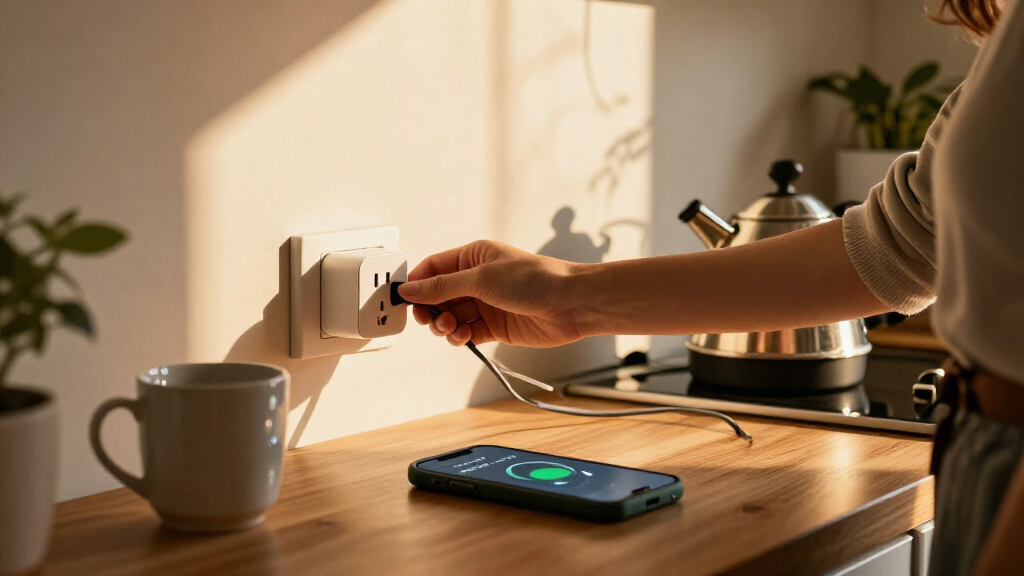

Smart plugs with energy monitoring let you track an individual appliance’s electricity use and, on compatible models, switch it remotely or automate its schedule. I rank the Kasa Matter KP125MP2 as the best overall for its Matter support, 15A rating, and practical two-plug format; the Tapo P115 four-pack stands out for equipping several outlets, while the Emporia whole-home bundle is the pick for broader circuit-level insight. The main tradeoffs are smart-home compatibility, how many outlets you need, and whether plug-level readings are enough or you want whole-home data. Read on for how the 12 options differ and which setup fits your priorities.

Get home appliances delivered free with Prime
- Fast, free delivery on millions of items
- Prime Video, Amazon Music and more included
- Member-only deals all year
Complete the kit



Key Takeaways
- Kasa KP125MP2 is the clearest all-round choice: Matter support and a 15A rating suit buyers who want two monitored outlets without committing to one smart-home ecosystem.
- Pack size changes the value calculation: Tapo P115 and Kasa Matter four-packs cover more appliances, while two-packs such as the Kasa KP125MP2 and Tapo P115 are easier for a small setup.
- Matter appears across several lineup options, but not all products: compare the exact model and hub or platform needs rather than assuming every plug will pair the same way.
- Minoston’s Z-Wave plug serves a different kind of home: it is aimed at buyers with a Z-Wave controller, not people seeking a simple Wi-Fi-only setup.
- Emporia’s bundle changes the scope of monitoring: its whole-home sensors and four plugs offer wider usage tracking than standalone plug-level models, with more setup and system complexity.


| smart plugs with energy monitoring | Connectivity | Pack size | Operating voltage | Maximum wattage |
|---|---|---|---|---|
| AiSeek Smart Plugs with Energy | 2.4 GHz Wi-Fi and Bluetooth | 4 plugs | 120 V | — |
| SONOFF S61s Matter Smart Plug | — | — | 120 V | — |
| Tapo P115 Smart Wi-Fi Plug wit | 2.4 GHz Wi-Fi | 4 plugs | 110 V AC | 1800 W |
| Tapo Smart Plug Wi-Fi Energy M | 2.4 GHz Wi-Fi | 2 plugs | 125 V | 1800 W |
| Minoston MP21ZP Z-Wave Smart P | — | — | — | — |
| Kasa Matter Smart Plug with En | Matter and Wi-Fi; 2.4 GHz band | 2 plugs | 120 V | 1800 W |
| Govee Smart Plug with Energy M | Wi-Fi and Bluetooth | 4 plugs | 120 V | 1800 W |
| Kasa Matter Smart Plug with En | Matter and Wi-Fi; 2.4 GHz band | 4 plugs | 120 V | 1800 W |
| Tapo P110M Matter Smart Plugs | Matter and 2.4 GHz Wi-Fi | 4 plugs | — | 1800 W |
| Emporia Energy Monitoring Smar | 2.4 GHz Wi-Fi | 4 plugs | 120 V | 1200 W |
| TOPELER 15A Smart Plug with En | 2.4 GHz Wi-Fi and Bluetooth | — | — | — |
| Emporia Energy Monitor with 16 | — | — | — | — |
More Details on Our Top Picks
AiSeek Smart Plugs with Energy Monitoring, 15A, 4-Pack
For buyers who want to track several appliances at once, the four-plug pack gives the AiSeek a clear advantage over the two-pack Tapo P115. Each plug reports real-time power and energy use, while SmartLife adds schedules, timers, and group control, so you can manage multiple devices without setting up each one separately. Its compact dimensions help keep adjacent outlet space usable, and short-circuit and overload protection add a layer of protection for everyday loads up to 1800 W.
The tradeoff is a more app-dependent setup: Alexa and Google Assistant need to be linked through SmartLife, and the plugs require 2.4 GHz Wi-Fi. Compared with the SONOFF S61s, AiSeek does not offer Matter compatibility, making it less appealing for homes built around multiple smart-home platforms. I’d choose it for straightforward, room-by-room energy tracking, not for a Matter-first setup.
Pros:- Four plugs make it practical to monitor several appliances across different rooms.
- Real-time power and energy readings support device-by-device usage tracking.
- Schedules, timers, and group control are available through the SmartLife app.
- Compact body and short-circuit and overload protection suit everyday outlet use.
Cons:- Requires a 2.4 GHz Wi-Fi network.
- Alexa and Google Assistant need to be linked through the SmartLife app.
- No Matter support for direct integration across compatible smart-home platforms.
Best for: Households that want energy readings and scheduled control across several lamps, fans, or other everyday appliances using one app.
Not ideal for: Matter-focused smart-home users or people with only a 5 GHz Wi-Fi network, since this plug relies on 2.4 GHz Wi-Fi and SmartLife-linked voice assistants.
- Pack size:4 plugs
- Maximum power:1800 W
- Operating voltage:120 V
- Connectivity:2.4 GHz Wi-Fi and Bluetooth
- App:SmartLife
- Voice assistants:Amazon Alexa and Google Assistant
- Dimensions:1.4 × 2.8 × 2 in
- Warranty:2 years
Our verdict“Choose the AiSeek four-pack if you want app-based energy tracking for several everyday devices and do not need Matter support.”
SONOFF S61s Matter Smart Plug, 15A Wi-Fi Outlet with Energy Monitoring
The SONOFF S61s is the strongest fit here for buyers who want energy monitoring inside a cross-platform smart home. Its Matter support brings it to Apple Home, Alexa, Google Home, and SmartThings, a broader integration route than the app-linked Alexa and Google control on the AiSeek Smart Plugs. It also tracks real-time power use and costs, giving you more context than a basic on/off schedule when deciding which appliance to monitor or switch off.
Rated for 15 A and 1875 W, it suits many everyday appliances, and overload and fire protection are listed. The main limitation is that it is a single plug, so equipping several rooms means adding more units; the Tapo P115 four-pack is a more direct fit for multi-device coverage. It also needs 2.4 GHz Wi-Fi. I’d pick SONOFF for platform flexibility, not for buyers seeking a bundled set.
Pros:- Matter support connects with Apple Home, Alexa, Google Home, and SmartThings.
- Energy monitoring includes real-time power use and cost tracking.
- 15 A, 1875 W capacity is suited to many everyday appliances.
- Overload and fire protection are listed.
Cons:- Single-plug format offers less multi-room coverage than the Tapo P115 four-pack.
- Requires a 2.4 GHz Wi-Fi network.
- The listed control protocol is Matter, so buyers should check compatibility with their intended hub or app.
Best for: Smart-home owners using Apple Home, Alexa, Google Home, or SmartThings who want Matter-connected energy readings for one appliance.
Not ideal for: Buyers who need several monitored outlets in one purchase or have a 5 GHz-only Wi-Fi network.
- Maximum load:15 A; 1875 W
- Operating voltage:120 V
- Connectivity protocol:Matter over Wi-Fi
- Supported platforms:Apple Home, Alexa, Google Home, and SmartThings
- Energy features:Real-time energy monitoring and cost tracking
- Protection:Overload and fire protection
- Dimensions:2.36 × 1.5 × 2.13 in
- Warranty:2 years
Our verdict“Choose the SONOFF S61s if Matter integration and cost-aware energy monitoring matter more than getting multiple plugs in one pack.”
Tapo P115 Smart Wi-Fi Plug with Energy Monitoring, 4-Pack, 15A
The Tapo P115 four-pack makes the most sense when monitoring several devices is the priority. It combines energy statistics and charts with scheduling and automatic shutoff, so you can track usage and automate power without managing separate product families. Compared with the Tapo P115 two-pack, this version is better suited to outfitting more rooms at once; against the AiSeek four-pack, it lists support for SmartThings and ETL certification alongside Alexa and Google Assistant.
Its compact design is useful when plugs share a wall plate, and the 1800 W maximum covers many common household devices. The tradeoff is reliance on 2.4 GHz Wi-Fi, while electricity-cost estimates depend on billing information integration rather than providing a universal bill figure out of the box. I’d choose this pack for app-based tracking across multiple appliances, but skip it if you need Matter connectivity or a 5 GHz-only network.
Pros:- Four plugs support energy tracking across multiple rooms and appliances.
- Usage statistics and charts make device consumption easier to compare.
- Works with the Tapo app, Alexa, Google Assistant, and SmartThings.
- Compact design and automatic shutoff add practical outlet and load-management features.
Cons:- Requires a 2.4 GHz Wi-Fi network.
- Cost estimates depend on billing information integration.
- Does not list Matter compatibility.
Best for: Households that want to monitor and schedule several appliances through Tapo, with voice control and SmartThings compatibility.
Not ideal for: People with 5 GHz-only Wi-Fi or buyers who need Matter support rather than standard app and voice integrations.
- Pack size:4 plugs
- Maximum wattage:1800 W
- Operating voltage:110 V AC
- Connectivity:2.4 GHz Wi-Fi
- Control methods:Tapo app, Alexa, Google Assistant, and SmartThings
- Energy features:Energy monitoring, statistics, charts, scheduling, and automatic shutoff
- Material:Polycarbonate
- Certifications:ETL, FCC, and RoHS
Our verdict“Choose the Tapo P115 four-pack for chart-based monitoring and scheduling across several devices in a compatible 2.4 GHz Wi-Fi home.”
Tapo Smart Plug Wi-Fi Energy Monitoring P115 (2-Pack) 15A
For a buyer who only needs to monitor a couple of appliances, the Tapo P115 two-pack keeps the setup focused without committing to four outlets. Its app offers real-time usage charts, electricity-cost estimates, scheduling, and smart charging, while Alexa and Google Assistant add voice control. Compared with the four-pack Tapo P115, this version is a better match for a home office or two high-interest devices; it shares the same 1800 W ceiling and 2.4 GHz Wi-Fi requirement.
The compact polycarbonate body and auto shutoff protection make it practical for everyday plug-in loads, but the supplied details do not list SmartThings support for this two-pack as they do for the four-pack. Cost estimates also depend on billing information, so the monitoring is more useful for comparing usage than treating the app’s estimate as a guaranteed bill. I’d choose it for a small, deliberate monitoring setup, not whole-room coverage.
Pros:- Two plugs suit targeted monitoring without requiring a four-plug set.
- App charts and cost estimates help compare energy use over time.
- Scheduling, smart charging, and auto shutoff add practical control.
- Alexa and Google Assistant voice control are supported.
Cons:- Requires 2.4 GHz Wi-Fi and does not support a 5 GHz-only network.
- Cost estimates depend on billing information.
- The listed compatibility is narrower than the Tapo P115 four-pack, which also names SmartThings.
Best for: People who want to track two specific appliances, such as a desk setup and a fan, through the Tapo app and voice assistants.
Not ideal for: Buyers outfitting several rooms, needing SmartThings support, or using a 5 GHz-only router.
- Pack size:2 plugs
- Maximum wattage:1800 W
- Operating voltage:125 V
- Connectivity:2.4 GHz Wi-Fi
- Control:Tapo app, remote control, and voice control
- Voice assistants:Alexa and Google Assistant
- Energy features:Usage statistics, cost estimation, and smart charging
- Certifications:ETL, FCC, and RoHS
Our verdict“Choose this Tapo two-pack if you want energy charts and automation for two devices, rather than broad multi-room coverage.”
Minoston MP21ZP Z-Wave Smart Plug with Energy Monitoring
The Minoston MP21ZP is the specialist pick for homes already running a Z-Wave hub. It monitors energy and supports remote control, timers, and schedules, while its 800 Series radio can also extend the Z-Wave network. S2 authenticated security and SmartStart pairing make it a more hub-centric alternative to Wi-Fi plugs like the AiSeek and Tapo P115, which connect directly through a 2.4 GHz wireless network rather than requiring a separate controller.
That hub requirement is both the reason to choose it and its main drawback: without a compatible hub, this plug cannot deliver its listed control functions, and Alexa or Google Assistant control also depends on a hub. Its stated range extension of up to 1,300 ft applies with a compatible hub supporting Long Range, not as a standalone promise. I’d choose Minoston to add monitoring to an established Z-Wave setup, not for a simple app-only installation.
Pros:- Monitors power and energy use within a Z-Wave smart-home system.
- Supports remote control, timers, and schedules through a compatible hub.
- S2 authenticated security and SmartStart pairing are included.
- Can extend Z-Wave coverage when paired with supported hub equipment.
Cons:- Requires a compatible Z-Wave hub, sold separately.
- Alexa and Google Assistant control require a hub.
- The stated 1,300 ft range extension depends on a compatible hub supporting Long Range.
Best for: Homeowners with a compatible Z-Wave hub who want energy monitoring, scheduled control, and another node for network coverage.
Not ideal for: First-time smart-plug buyers without a Z-Wave hub or people who want direct Wi-Fi setup and voice control without a hub.
- Wireless protocol:Z-Wave 800 Series
- Voltage:125 V
- Amperage:15 A
- Hub requirement:Compatible Z-Wave hub required; sold separately
- Security:S2 authenticated security
- Pairing:SmartStart
- Compatibility:SmartThings, Hubitat, Vera, Wink, Z-Box Hub, Fibaro, Ring, 2GIG, and HomeSeer
- Dimensions:1.14 × 1.89 × 1.89 in
- Warranty:2 years
Our verdict“Choose the Minoston MP21ZP if you already own a compatible Z-Wave hub and want monitoring within that system.”
Kasa Matter Smart Plug with Energy Monitoring, KP125MP2, 15A/1800W Max, 2-Pack
I’d choose this two-plug Kasa set when compatibility matters more than covering every outlet at once. Matter support connects it with Apple Home, Alexa, Google Home, and SmartThings, while local network control can keep commands working if the internet drops. Energy monitoring adds a way to track the devices attached to each plug, though the supplied details don’t specify a history period or measurement breakdown. Compared with the four-pack Kasa KP125MP4, this set gives you the same core platform flexibility in a smaller quantity, which suits a couple of priority appliances but offers less coverage. It also requires 2.4 GHz Wi-Fi and is limited to 15 A/1800 W, so it isn’t for higher-load equipment.
Pros:- Matter compatibility spans Apple Home, Alexa, Google Home, and SmartThings.
- Energy monitoring helps track consumption by connected appliance.
- Local network control can work without an internet connection.
- Compact, UL-certified flame-retardant design and a 2-year limited warranty.
Cons:- The two-plug pack covers fewer outlets than the Kasa KP125MP4 four-pack.
- Requires a 2.4 GHz Wi-Fi network.
- The 15 A/1800 W limit rules out higher-load devices.
Best for: Smart-home owners using Matter across Apple Home, Alexa, Google Home, or SmartThings who want to monitor a few priority appliances.
Not ideal for: Buyers outfitting several rooms at once, or anyone whose Wi-Fi network lacks 2.4 GHz support or whose appliance exceeds 15 A/1800 W.
- Model:KP125MP2
- Pack size:2 plugs
- Maximum current:15 A
- Maximum wattage:1800 W
- Operating voltage:120 V
- Connectivity:Matter and Wi-Fi; 2.4 GHz band
- Compatible platforms:Apple Home, Amazon Alexa, Google Home, Samsung SmartThings
- Safety and warranty:UL-certified flame-retardant design; 2-year limited warranty
Our verdict“Choose this Kasa two-pack if you want energy monitoring and Matter flexibility for a small number of devices without relying on cloud access for local control.”
Govee Smart Plug with Energy Monitoring, Wi-Fi and Bluetooth, 4-Pack
The Govee four-pack is the clearest fit here for buyers who want more than a basic energy readout: its app tracks power, current, and voltage, with up to a year of data history. That record can help compare an appliance’s use over time, while schedules, remote access, voice control, and group control make a larger set easier to manage. Unlike the Matter-focused Kasa KP125MP4, Govee lists Alexa and Google Assistant rather than Apple Home or SmartThings, and app-based control runs through Govee Home. Bluetooth support joins 2.4 GHz Wi-Fi, but it does not add 5 GHz compatibility. The 15 A/1800 W rating fits many household devices, yet buyers should check the connected appliance’s load before use.
Pros:- Tracks power, current, and voltage, with up to one year of data history.
- Four plugs support schedules, remote control, voice commands, and group control.
- Works with Amazon Alexa and Google Assistant.
- Wi-Fi and Bluetooth connectivity; ETL- and FCC-certified.
Cons:- Does not support 5 GHz Wi-Fi.
- App-based control requires the Govee Home app.
- The listed voice platforms do not include Apple Home or SmartThings.
Best for: Alexa or Google Assistant households that want a four-plug set and a long app history with power, current, and voltage readings.
Not ideal for: Matter-centered homes, Apple Home or SmartThings users, and households that depend on 5 GHz Wi-Fi or prefer not to use the Govee Home app.
- Model:H5086
- Pack size:4 plugs
- Maximum wattage:1800 W
- Operating voltage:120 V
- Connectivity:Wi-Fi and Bluetooth
- Wi-Fi compatibility:2.4 GHz; does not support 5 GHz
- Energy measurements:Power, current, and voltage; up to one year of data history
- Voice assistants:Amazon Alexa and Google Assistant
- Certifications:ETL and FCC
Our verdict“Pick Govee over the Kasa four-pack if detailed, long-term app history matters more to you than Matter-based platform choice.”
Kasa Matter Smart Plug with Energy Monitoring, 4-Pack
For buyers who want monitoring across several appliances without giving up broad smart-home support, this Kasa four-pack is the more practical fit than the two-plug KP125MP2. It shares that model’s Matter compatibility with Apple Home, Alexa, Google Home, and SmartThings, along with local network control that can work when internet access is unavailable. Energy monitoring lets you follow usage over time, although the product details don’t state a specific history length or report current and voltage separately. The 15 A/1800 W rating suits many everyday devices, not every high-demand appliance. A 2.4 GHz Wi-Fi requirement also narrows network fit. Compared with Govee’s four-pack, Kasa prioritizes Matter platform breadth and local control over a stated year of detailed measurement history.
Pros:- Four plugs extend energy monitoring to more appliances than the KP125MP2 two-pack.
- Matter compatibility supports several major smart-home platforms.
- Local network control can work without an internet connection.
- Compact, UL-certified flame-retardant design with a 2-year limited warranty.
Cons:- Requires a 2.4 GHz Wi-Fi network.
- Maximum load is 15 A/1800 W.
- The product details do not specify a data-history period or separate current and voltage readings.
Best for: Matter users who want to monitor multiple household devices across Apple Home, Alexa, Google Home, or SmartThings.
Not ideal for: Shoppers who need 5 GHz Wi-Fi, detailed power/current/voltage history, or a plug rated above 15 A/1800 W.
- Model:KP125MP4
- Pack size:4 plugs
- Maximum current:15 A
- Maximum wattage:1800 W
- Operating voltage:120 V
- Connectivity:Matter and Wi-Fi; 2.4 GHz band
- Compatible platforms:Apple Home, Amazon Alexa, Google Home, Samsung SmartThings
- Energy monitoring:Tracks energy usage over time
- Safety and warranty:UL-certified flame-retardant design; 2-year limited warranty
Our verdict“Choose the Kasa four-pack if you want broad Matter compatibility and local control across several monitored outlets, rather than Govee’s more detailed stated history.”
Tapo P110M Matter Smart Plugs with Energy Monitoring, 4-Pack, 15A
The Tapo P110M stands out for a practical detail that matters when monitoring several appliances: its compact form is intended to leave neighboring outlets accessible. The four-pack adds energy statistics, scheduling, remote control, and voice commands, while Matter supports Alexa, Apple HomeKit, Google Home, and SmartThings. Its power-threshold shutoff can switch off a connected device after a user-set limit is exceeded, which adds a layer of automated control beyond the monitoring offered by the Kasa KP125MP4. That feature may need configuration, so it is less hands-off at setup. Like Kasa and Govee, it is limited to 2.4 GHz Wi-Fi and 1800 W. The product details do not specify a history duration or measurement detail beyond energy use and statistics.
Pros:- Compact design is intended to keep adjacent outlets accessible.
- Matter-certified for Alexa, Apple HomeKit, Google Home, and SmartThings.
- Provides energy monitoring and usage statistics.
- Supports app, voice, remote control, scheduling, and user-set power-threshold shutoff.
Cons:- Supports 2.4 GHz Wi-Fi only.
- Power-threshold shutoff settings may require configuration.
- The product details do not state a data-history period or separate power, current, and voltage readings.
Best for: People monitoring several devices in crowded outlet areas who want Matter control and the option to set an energy-related shutoff limit.
Not ideal for: Buyers who need 5 GHz Wi-Fi, detailed measurement-history specifications, or a plug that works without configuring power-threshold settings.
- Model:P110M
- Pack size:4 plugs
- Maximum wattage:1800 W
- Connectivity:Matter and 2.4 GHz Wi-Fi
- Compatible platforms:Amazon Alexa, Apple HomeKit, Google Home, Samsung SmartThings
- Energy monitoring:Energy use tracking and usage statistics
- Control methods:App, voice, remote control, and scheduling
- Additional control:User-set power-threshold shutoff
- Design:Compact white plug intended to leave neighboring outlets accessible
Our verdict“Choose the Tapo P110M over the Kasa KP125MP4 if preserving neighboring outlet access and configurable threshold shutoff are your priorities.”
Emporia Energy Monitoring Smart Plugs, 4-Pack
Emporia’s four-pack is the one I’d reserve for lights, fans, and other lower-load devices, where its 1200 W ceiling is less restrictive. It covers the essentials—energy monitoring, remote control, and scheduling through the Emporia app, plus Alexa and Google Assistant support—but its 10 A continuous-load limit is lower than the 15 A/1800 W ratings of the Kasa and Govee options. That makes checking an appliance’s draw especially important before connecting it. The Emporia plugs also lack the Matter compatibility and local-control details offered by Kasa KP125MP4, and their stated warranty is one year rather than two. In return, this is a straightforward four-plug choice for users already comfortable with Emporia’s app and the supported voice assistants.
Pros:- Four plugs provide monitoring for multiple connected devices.
- Tracks energy use and supports remote control and scheduling.
- Works with Amazon Alexa and Google Assistant.
- ETL- and FCC-certified.
Cons:- 1200 W maximum and 10 A continuous-load limit are below the 1800 W/15 A Kasa and Govee ratings.
- Requires 2.4 GHz Wi-Fi and does not support 5 GHz.
- One-year warranty is shorter than the two-year limited warranty listed for Kasa.
Best for: Emporia app users who want energy monitoring and scheduled control for lights, fans, and other devices within the 1200 W/10 A limit.
Not ideal for: People monitoring higher-load appliances, seeking Matter or Apple Home support, or needing plugs rated for 15 A/1800 W.
- Model:EMSO1-4
- Pack size:4 plugs
- Operating voltage:120 V
- Maximum wattage:1200 W
- Continuous-load limit:10 A
- Connectivity:2.4 GHz Wi-Fi
- Compatibility:Amazon Alexa, Google Assistant, Android, iOS
- Features:Energy monitoring, scheduling, and remote control
- Certifications and warranty:ETL and FCC; 1-year warranty
Our verdict“Pick Emporia for a four-device monitoring setup built around lower-load appliances, but choose Kasa or Govee for the higher 15 A/1800 W rating.”
TOPELER 15A Smart Plug with Energy Monitoring, Timer, and Remote Control, 2-Pack
The TOPELER pair suits buyers who want outlet-level energy readings with a fallback for controlling devices when Wi-Fi drops. Its Smart Life app reports power, current, and voltage, while schedules and voice commands cover routine automation. The standout difference from the Tapo P115 2-Pack is Bluetooth local control, which can keep nearby operation available without a Wi-Fi connection. Both are hub-free options, but this model limits Wi-Fi to 2.4 GHz and requires setup in Smart Life before linking Alexa or Google Assistant. Its 15A, 1800W capacity fits many everyday appliances, though it is not a whole-home monitoring solution like the Emporia bundle. I’d choose it for two independently monitored outlets and basic reporting, not for broader circuit-level energy analysis.
Pros:- Reports real-time power, current, and voltage, with usage reports.
- Supports app control, schedules, and Alexa and Google Assistant voice commands.
- Bluetooth provides local control when Wi-Fi is offline.
- Hub-free two-plug package with a compact design.
Cons:- Connects to 2.4 GHz Wi-Fi only.
- Requires initial setup in the Smart Life app before connecting voice assistants.
- Monitors connected outlets rather than whole-home circuits.
Best for: People who want two app-monitored outlets, scheduled control, and local Bluetooth operation as a backup when Wi-Fi is unavailable.
Not ideal for: Buyers who need 5 GHz Wi-Fi, want to avoid a separate app setup before voice-assistant linking, or need whole-home circuit monitoring.
- Model:YSP101
- Quantity:2 smart plugs
- Maximum power:1800 W
- Voltage:125 V
- Connectivity:2.4 GHz Wi-Fi and Bluetooth
- App and voice control:Smart Life; Amazon Alexa and Google Assistant
- Dimensions:2.23 × 2.75 × 1.22 in (D × W × H)
- Certifications and warranty:ETL and FCC; 1-year limited warranty
Our verdict“Choose the TOPELER pair for two monitored outlets and Bluetooth backup control, but pick a whole-home monitor if you need circuit-level usage data.”
Emporia Energy Monitor with 16 Sensors + 4 Smart Plugs Super Bundle – Whole Home Electricity Usage Tracking & Real-Time Control – Supports Solar Net Metering – Works with iOS, Android, Alexa
The Emporia bundle is the clear step up from plug-only monitoring: its Vue monitor and up to 16 circuit sensors track household usage, while four included Wi-Fi plugs add readings and control at individual outlets. That combination can help separate a high-use circuit from standby draw on a specific device, a wider view than the TOPELER pair or Emporia’s standalone four-plug pack can provide. The app offers real-time data, trends, and automation, and solar net-metering support makes it a better fit for homes with solar than a basic outlet monitor. The tradeoff is installation: connecting sensors at the main electrical panel may call for electrical knowledge or professional help. I’d also choose this only if the Emporia ecosystem and its app fit your setup; it is less flexible across other smart-home platforms.
Pros:- Includes a Vue monitor and up to 16 sensors for whole-home and circuit-level tracking.
- Four smart plugs add outlet-level consumption data and remote control.
- Free Emporia app provides real-time usage, trends, and automation.
- Supports solar net-metering and time-of-use optimization.
Cons:- Main-panel sensor installation may require electrical knowledge or professional assistance.
- The system is centered on the Emporia ecosystem, with limited support for other smart-home platforms.
- More equipment and setup than needed for buyers seeking only outlet-level monitoring.
Best for: Homeowners who want circuit-by-circuit electricity data alongside four monitored outlets, especially those with solar or time-of-use plans.
Not ideal for: Renters, buyers who only need a couple of plug-level readings, or households unwilling to install equipment at the electrical panel or use the Emporia ecosystem.
- Brand:Emporia
- Sensors included:16
- Smart plugs included:4 Wi-Fi smart plugs
- Monitoring:Whole-home and circuit-level monitoring with second-by-second usage data
- App compatibility:iOS and Android
- Voice assistant:Amazon Alexa
- Energy features:Solar net-metering support, real-time tracking, and automation
- Return policy:30-Day Amazon.com Voluntary Return Guarantee
Our verdict“Choose this bundle if you want whole-home and outlet-level energy data in one Emporia system and are prepared for panel installation.”
How We Picked
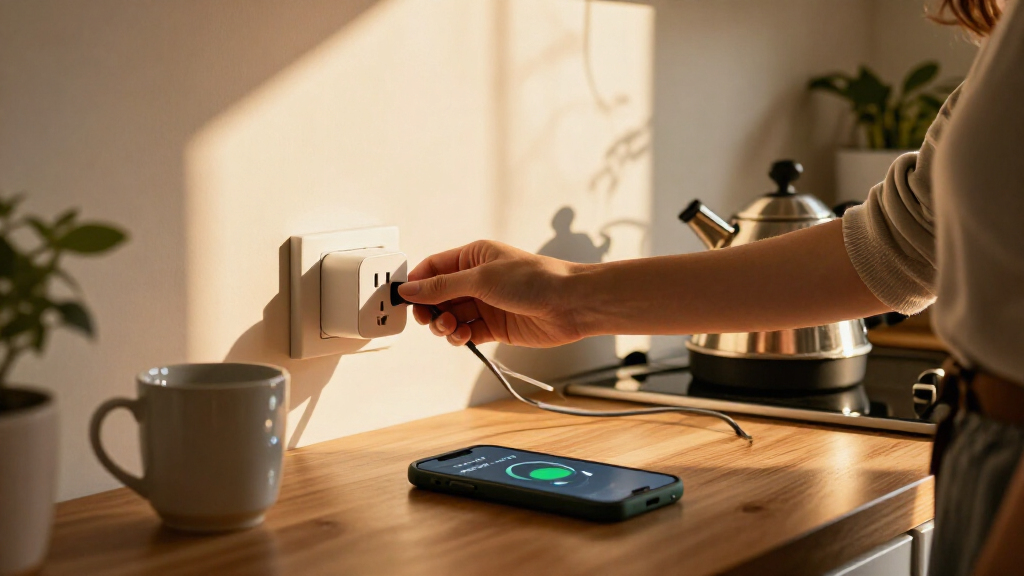
I compared these picks by how well they answer the main buyer question: can I monitor the appliances I care about and control them in a setup I can actually use? I weighed energy-monitoring scope, stated electrical capacity, connection type, smart-home compatibility, pack size, and the likely effort of setup. A plug-level monitor is useful for identifying the use of one device; a whole-home system can provide a broader view, but calls for more installation and interpretation.
The ranking favors useful compatibility and straightforward fit over pack size alone. Matter options rank well for buyers who want flexibility across compatible platforms, while the Z-Wave model is better suited to homes that already have that network. Multi-packs rise when they make it practical to monitor several appliances; the Emporia bundle earns a distinct role for whole-home tracking rather than competing as a simple outlet plug. I also account for real limitations: monitoring data is only useful if the app and platform meet your needs, and a high-capacity rating does not make every appliance an appropriate load.
Factors to Consider When Choosing Smart Plugs With Energy Monitoring
Before choosing a pack, decide what you want the readings to tell you and where you plan to use them. Compatibility, monitoring scope, and electrical fit often matter more than adding extra plugs.
Match the monitoring scope to the question you have
A plug-level meter can help compare the electricity use of individual appliances, but it will not explain the entire household bill. If your question is whether a particular device draws power when idle, a smart plug may be enough. If you want to spot trends across circuits, solar production, or several parts of the home, a whole-home monitor is a different class of system. Avoid buying a large sensor bundle when you only need to track a lamp or small appliance. Also check how the companion app presents readings, since raw measurements are less useful if you cannot review them in a way that supports your decisions. Choose the smallest monitoring scope that answers your actual question, with room to expand only if you expect to need it.
Check platform and network fit before buying a multipack
Matter, Wi-Fi, Bluetooth, and Z-Wave describe different paths for connecting and controlling smart devices, not interchangeable guarantees of compatibility. Matter can help a plug work across supported ecosystems, but your phone, controller, and chosen platform still need to support the features you want. Z-Wave generally makes more sense when a compatible hub is already part of the home; buying a single Z-Wave plug without a controller can add unexpected setup needs. Wi-Fi models may be simpler for many households, though a crowded or unreliable network can affect device responsiveness. Read the exact model details rather than relying on a product family name, especially when a listing includes several pack sizes or versions. Test one device with your intended app or hub before buying enough plugs for every room.
Treat the amperage rating as a limit, not a universal fit
A 15A rating is a stated capacity, not permission to connect any appliance that has a plug. Check the appliance’s load and the smart plug’s ratings, and follow the manufacturer’s guidance for motors, heaters, and other high-draw or cycling equipment. A plug body can also cover a neighboring outlet, which matters when a receptacle is already crowded. Do not use an adapter or extension arrangement unless both manufacturers allow it for the intended load. If you plan to monitor several appliances, check each one separately rather than assuming they all have the same electrical requirements. When the load or wiring is uncertain, choose a monitoring method designed for that equipment or ask a qualified electrician.
Buy for the number of appliances you will actually track
Four-packs can make sense when you already have several specific devices in mind, but extra plugs do not add value if they stay in a drawer. A two-pack gives a smaller household a way to compare a pair of appliances without managing a fleet of devices. Think about outlet spacing and plug shape, since several smart plugs may not fit side by side on a standard receptacle. Multi-packs can also make it harder to tell which monitored device is which unless the app allows clear naming. Start with the most useful loads, then add plugs after you know what readings you want. This avoids confusing a large quantity of measurements with better energy insight.
Look beyond live readings to reporting and automation
Live usage is only one part of the decision: buyers may also want historical data, schedules, remote switching, or automation based on usage. Check whether the app retains the time period you care about and whether readings are presented per plug or rolled up across devices. A timer can reduce manual switching, but it is not the same as an energy-saving feature; savings depend on what the connected appliance does and when you use it. Some smart-home routines may require a compatible platform or controller, even when basic plug control works on its own. Consider who will use the app and whether the data will answer a concrete question, such as identifying an always-on device. If you need detailed household accounting, a plug’s app may not replace a dedicated energy-monitoring system.
Frequently Asked Questions
Can smart plugs with energy monitoring tell me which appliance uses the most electricity?
They can help compare the appliances connected to individual monitored plugs, provided the app offers readings over a useful time period. For a fair comparison, track each device during similar use rather than comparing a short session with a full day. A plug only measures the load connected through it, so it cannot assign household consumption to appliances that are not plugged into a monitored outlet. Always-on devices may need longer tracking to reveal their cumulative use. If you need a whole-home picture or circuit-level detail, a plug set and a whole-home monitor answer different questions.
Should I choose Matter, Wi-Fi, or Z-Wave for energy monitoring?
Choose based on the system you already use and the kind of setup you are willing to maintain. Matter can offer flexibility across supported smart-home platforms, but the controller and app still determine which functions are available. Wi-Fi may suit buyers who want a direct network connection, while Z-Wave is most sensible when a compatible hub is already installed. Do not assume that a protocol label guarantees identical energy reports or controls in every app. Check the exact model’s compatibility and monitoring features before choosing a pack.
Is a four-pack a better buy than a two-pack if I want to lower energy use?
Not by itself: the number of plugs does not reduce consumption unless you use the readings to identify devices or change how they run. A four-pack is practical if you have several appliances you plan to monitor at once; otherwise, a two-pack can make it easier to learn from a smaller set of readings. Some devices need longer observation than others, so spare plugs may not improve your understanding immediately. Consider outlet spacing and whether you can label devices clearly in the app. Start with the appliances behind your main question, then expand if the results point to more tracking.
Can I use a monitored smart plug with a heater or other high-draw appliance?
Only if the smart plug’s specifications and the appliance manufacturer’s instructions support that particular load and use. A 15A label is a maximum rating, not a general safety approval for every heater, motor, or appliance that fits the socket. Check the appliance’s current draw, plug requirements, and any restrictions on automated switching. Avoid relying on a smart plug where the appliance requires direct wall connection or supervision. If the electrical fit is unclear, use a monitoring method intended for the load or ask a qualified electrician.
When should I choose a whole-home monitor instead of smart plugs?
A whole-home monitor is a better match when you want data beyond a few plug-in appliances, such as broader household usage or circuit-level patterns. Smart plugs are more direct for tracking a particular device and controlling that outlet. The Emporia bundle in this lineup combines whole-home sensors with smart plugs, so it covers more than a standalone outlet meter but also requires more setup. Before choosing, decide whether you need to locate a specific appliance’s consumption or understand patterns across the home. A plug set can be the simpler starting point when you do not need panel-level data.
Conclusion
For most buyers, I recommend the Kasa Matter KP125MP2 as the best overall: it pairs a 15A rating with Matter support in a manageable two-plug set. For best value when several outlets need monitoring, compare the Tapo P115 four-pack and Kasa Matter four-pack against your platform and app preferences rather than choosing on quantity alone. The best premium choice for broader household insight is the Emporia whole-home bundle, while the best option for beginners is a smaller Wi-Fi set such as the Tapo P115 two-pack. For a home already built around Z-Wave, choose the Minoston MP21ZP; for buyers prioritizing Matter across more than two outlets, look at the Tapo P110M or the four-pack Kasa Matter option. Match the plug to your network, load, and monitoring goal, and the choice becomes clearer than comparing pack sizes alone.
Fall Picks
fall essentials
As an affiliate, we earn on qualifying purchases.