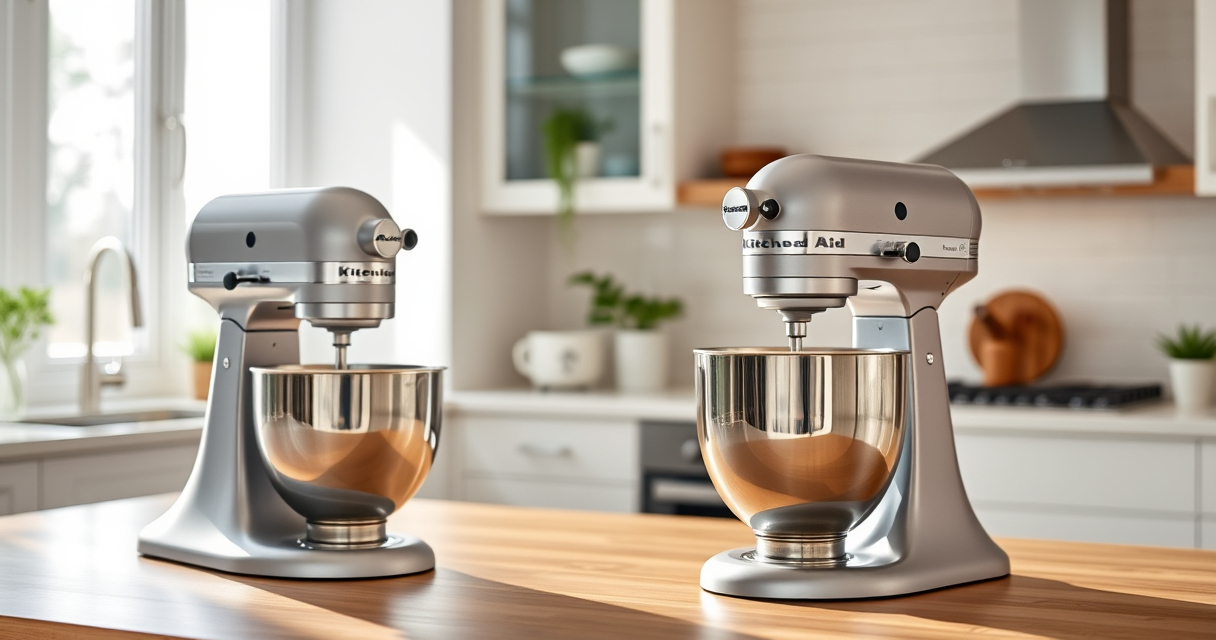

Maintaining your KitchenAid Artisan Series 5 Quart Tilt Head Stand Mixer is essential to ensure it performs optimally and lasts for years. Proper care not only extends the life of your appliance but also guarantees consistent mixing results. Whether you’re troubleshooting minor issues or performing routine cleaning, this comprehensive guide offers practical, safe, and effective steps to keep your mixer in top condition.

Get home appliances delivered free with Prime
- Fast, free delivery on millions of items
- Prime Video, Amazon Music and more included
- Member-only deals all year
From cleaning and lubrication to addressing common problems, you’ll find detailed instructions and handy tips. Regular maintenance is simple but crucial, and with the right approach, you’ll enjoy reliable performance for all your baking and cooking needs.
Key Takeaways
| Routine Cleaning | Regular cleaning prevents buildup and keeps the mixer functioning smoothly. |
| Gear and Attachment Care | Properly maintain gears and attachments to avoid malfunction and prolong lifespan. |
| Troubleshooting Common Issues | Identify and fix common problems like noise, overheating, or slow speeds. |
| Lubrication & Safety | Lubricate moving parts carefully and follow safety precautions during maintenance. |
Cleaning Your Mixer
- Unplug the mixer from the power source before cleaning.
- Remove all attachments and the mixing bowl.
- Wipe down the exterior with a damp cloth; avoid abrasive cleaners.
- Clean the beater, dough hook, and other attachments in warm, soapy water. These parts are dishwasher safe, but check the manufacturer’s guidelines.
- Use a soft brush or cloth to clean around the tilt-head hinge and around the motor head, removing any flour or residue.
- Dry all parts thoroughly before reassembling to prevent rust or corrosion.
Regular cleaning after each use helps prevent buildup of dough, flour, and grease, ensuring your mixer operates quietly and efficiently over time.
Lubricating and Maintaining Moving Parts
- Periodically, check the tilt-head hinge and the gear mechanisms for signs of wear or dryness.
- Apply a small amount of food-grade lubricant or silicone spray to the hinge and gear areas. Avoid over-lubricating, as excess can attract dirt.
- Move the tilt-head back and forth to distribute the lubricant evenly.
- Do not lubricate the motor or electrical components.
- Ensure all parts are clean and dry before applying lubricant.
Proper lubrication reduces wear on moving parts, prevents squeaking, and maintains smooth operation during mixing tasks.
Troubleshooting Common Problems
- Mixer Not Turning On: Check the power cord and outlet. Ensure the mixer is plugged in securely and the outlet has power. Reset circuit breakers if needed.
- Uneven Mixing or Sticking: Inspect the attachment and bowl for proper fit. Clean and reattach if necessary.
- Unusual Noises: Turn off the mixer and check for debris or misaligned gears. Lubricate as needed or consult a technician if noise persists.
- Overheating: Allow the mixer to cool down if used continuously for extended periods. Avoid overloading the bowl.
Address issues promptly to prevent further damage. Regular checks and cleaning can prevent many common problems.
Replacing Attachments and Parts
- Ensure the mixer is unplugged before replacing any parts.
- Remove old attachments by twisting or pulling gently, depending on the model.
- Align the new attachment with the hub and secure it firmly in place.
- For parts like gears or the drive belt, consult the manufacturer’s instructions or a professional if unsure.
- Periodically inspect attachments for wear and replace if damaged or worn out.
Using genuine parts ensures compatibility and maintains the safety and efficiency of your mixer.
Safety Tips for Maintenance
- Always unplug the mixer before cleaning, lubricating, or replacing parts.
- Use only recommended lubricants and cleaning products.
- Do not immerse the motor head in water or any liquid.
- Handle attachments carefully to avoid injury from sharp edges.
- Follow the manufacturer’s instructions for any repairs or part replacements.
Adhering to safety precautions reduces risk and helps keep your mixer in excellent working condition.
The Products in This Guide

KitchenAid Artisan Series 5 Quart Tilt Head Stand Mixer
- ✔ Dimensions: 14 x 8 x 14 inches
- ✔ Voltage: 120V
- ✔ Warranty: 1 year limited

KitchenAid Stand Mixer Attachment
- ✔ Dimensions: 6 x 4 x 8 inches
- ✔ Weight: 4 pounds
- ✔ Warranty: 1 year
KitchenAid Artisan Series 5 Quart Tilt Head Stand Mixer
The KitchenAid Artisan Series 5 Quart Tilt Head Stand Mixer is built with durable metal construction and features 59 touchpoints for thorough mixing. Its tilt-head design offers easy access for cleaning and attachment changes, making maintenance straightforward. Regular upkeep will keep this mixer performing at its best for years to come.
Pros:
- Sturdy metal construction
- Easy tilt-head for maintenance
- Dishwasher safe parts
- Multiple speed options
Cons:
- Heavy for some users
- Requires regular cleaning
- Attachments sold separately
Best for: Baking enthusiasts and home chefs needing reliable performance
Not ideal for: Users seeking a lightweight or budget-friendly mixer
Bottom line: A robust and versatile mixer that’s easy to maintain with proper care.
KitchenAid Stand Mixer Attachment
The KitchenAid Stand Mixer Food Grinder attachment expands your appliance’s capabilities, allowing you to grind fresh meats, vegetables, and more with ease. Its durable metal construction and included grinding plates make it a valuable addition for home cooks who want more control over their ingredients.
Pros:
- Easy to attach and use
- Multiple grinding plates included
- Stainless steel construction
- Saves prep time
Cons:
- Additional cost
- Requires cleaning after use
- Power hub connection only
Best for: Cooking enthusiasts wanting fresh ingredients
Not ideal for: Those not interested in grinding or processing foods
Bottom line: A versatile attachment that turns your mixer into a food grinder.
Frequently Asked Questions
How often should I clean my KitchenAid mixer?
It’s best to clean your mixer after each use to prevent buildup of flour, dough, and other ingredients. Regular cleaning maintains performance and prolongs the machine’s lifespan.
Can I use the dishwasher for all parts?
Most removable parts like the beater, dough hook, and pouring shield are dishwasher safe. Check the manual to confirm which parts can go in the dishwasher.
What should I do if my mixer makes strange noises?
First, turn off and unplug the mixer. Check for debris or misaligned attachments. If noise persists, lubricate the gears or consult a technician.
Is it safe to lubricate the gears myself?
Yes, but only use food-grade silicone spray or lubricant recommended by the manufacturer. Follow safety instructions carefully and avoid over-lubricating.
How do I troubleshoot if my mixer isn’t turning on?
Ensure it’s plugged in securely, the outlet has power, and the circuit breaker hasn’t tripped. If still not working, inspect the power cord and contacts.
Keep Your KitchenAid Running Like New
Proper maintenance of your KitchenAid Artisan Series 5 Quart Tilt Head Stand Mixer ensures consistent performance and longevity. Regular cleaning, cautious lubrication, and prompt troubleshooting will keep it operating smoothly for all your baking adventures. With a little effort, your mixer will remain a reliable kitchen companion for years to come.
Affiliate disclosure: As an Amazon Associate we earn from qualifying purchases. Prices and availability are accurate as of the time of publishing.
Halloween Picks

Pumpkin Halloween Fog Machine with 12-Color LED Lights, Bluetooth Speaker, and Remote

MGparty 14.5 ft Halloween Inflatable Walk-In Pumpkin House with LED Lights

Fun Costumes 5.5ft Mary the Unhappily Ever After Bride Animatronic Halloween Decoration
As an affiliate, we earn on qualifying purchases.