

TL;DR
Building your own AI workstation used to be cheaper, but rising component prices and shortages now make prebuilt systems competitive. Your choice depends on your need for speed, customization, and support, not just cost.
Imagine this: your AI project is urgent. You need a powerful machine yesterday. Do you roll up your sleeves and build from scratch, or buy a preconfigured system that’s ready to go? The answer has shifted dramatically in 2026, and build vs buy a prebuilt AI workstation is now a key consideration.
Years ago, building your own was always cheaper. Now, the rising costs of GPUs, RAM, and SSDs, paired with component shortages, mean prebuilt systems are often just as affordable — or even better value. This article cuts through the hype. We’ll explore when to choose DIY, when to buy, and what really matters for your AI workloads.
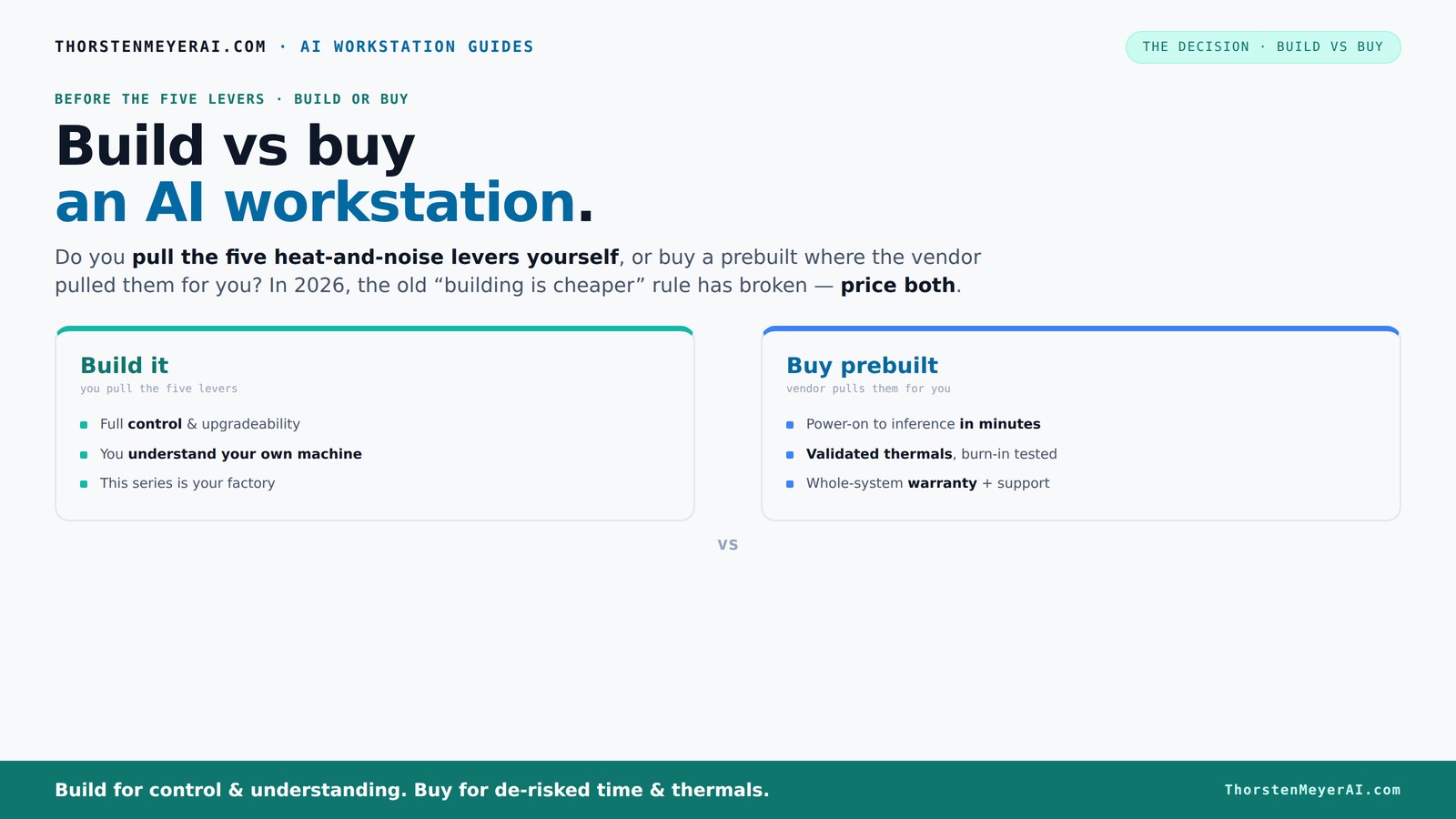
Build vs buy
an AI workstation.
The real question behind this whole series: do you pull the five heat-and-noise levers yourself, or buy a prebuilt where the vendor pulled them for you? And in 2026, the old “building is cheaper” rule has broken. Match your situation in Part 3.
Key Takeaways
- In 2026, component shortages have leveled the playing field, making prebuilts just as affordable as DIY for high-end AI workstations.
- Prebuilt systems offer validated thermals, factory tuning, and warranties that reduce setup hassle and risk.
- DIY still shines if you want complete control, enjoy the building process, or need a highly customized configuration.
- The real tradeoff now isn’t just cost but time, support, and future upgrade plans.
- Always compare total costs and benefits—what seems cheaper upfront may cost more in effort or instability later.

WIWB Gaming PC Desktop Core I9-14900HX, RTX 5060 Ti 8G, 1TB NVME SSD
- Powerful Processor: Intel Core i9-14900HX with 24 Cores
- High-Performance Graphics: GeForce RTX 5060 Ti 8GB GDDR7
- Fast Memory & Storage: 16GB DDR5 RAM with 1TB NVMe SSD
As an affiliate, we earn on qualifying purchases.
As an affiliate, we earn on qualifying purchases.
Why Building Your Own AI Workstation Might Cost More Than You Think
Building a custom AI rig isn’t just about sourcing parts. You add in your time, troubleshooting, and the risk of compatibility issues. Plus, component prices for GPUs and RAM have spiked—sometimes by over 30% since 2024. For example, a high-end GPU that used to cost around $1,200 now often pushes $1,600 or more, especially with shortages.
According to recent market data, assembling a similar system today can easily run over $1,250, even before you add software licenses. If you’re considering your options, check out build vs buy a prebuilt AI workstation. That’s a big jump from the $1,000 or less typical a few years back. So, if you’re counting on building cheaper, you’ll need to compare prices carefully—sometimes, the DIY route costs more in the end.
Beyond raw costs, consider the hidden expenses: the time spent researching compatible parts, the trial-and-error process of installing and tuning, and the potential for hardware conflicts that can delay your project. These factors can erode any perceived savings and introduce risks that might outweigh the initial cost benefits.
Furthermore, the rapid price fluctuations and shortages mean that what’s cheaper today might be unavailable tomorrow, forcing last-minute upgrades or compromises that can inflate your budget. Tradeoffs include sacrificing warranty support or reliability if you cut corners on components or assembly expertise. This complexity underscores that DIY building isn’t just a financial decision—it’s a strategic one that can impact your project timeline and stability.

ASUS NUC 15 Pro Mini Desktop Computer, Intel Series 2 Core Ultra 7 255H, 32GB DDR5 RAM, 1TB PCIe SSD, Intel Arc 140T GPU, AI Mini PC Win 11 Pro, 8K/Quad 4K HDR, Thunderbolt 4, WiFi 7, BT 5.4
- Powerful AI and Multitasking: Intel Core Ultra 7 255H, 16 cores, up to 5.1GHz
- Enhanced Graphics Performance: Intel Arc 140T GPU for AI and gaming
- Customizable Memory & Storage: Supports up to 128GB DDR5 RAM, 48TB SSD
As an affiliate, we earn on qualifying purchases.
As an affiliate, we earn on qualifying purchases.
Prebuilt AI Workstations Are No Longer Just for Convenience
Prebuilts are now engineered for AI performance. Vendors like Lambda and Puget run extensive thermal testing, optimize fan curves, and even include water-cooling options. Imagine unboxing a system that’s already tuned for 24-hour GPU loads—no tweaking needed.
For example, a prebuilt from BIZON promises up to 30% lower noise levels and temperature management, thanks to factory validation. You get a tested, warranty-backed machine that’s ready to run your models in minutes. If you value time and reliability, prebuilts are increasingly compelling.
But beyond convenience, these systems often include optimized thermal solutions that are critical for sustained AI workloads. Proper thermal management prevents thermal throttling, which can significantly reduce training efficiency. When a system is pre-tuned, it means you avoid the trial-and-error of manual tuning, which can be time-consuming and require expertise. This level of engineering reduces the likelihood of hardware failure during intense, prolonged training sessions, ultimately saving you downtime and repair costs. The implication is that prebuilt systems, with their factory-validated cooling and tuning, can provide a more stable, predictable environment for demanding AI tasks—especially important when your project timelines are tight or reliability is paramount.

msi Aegis R2 AI Gaming Desktop: Intel Core Ultra 9 285, Geforce RTX 5070Ti, 32GB DDR5, 2TB M.2 NVMe SSD, Air Cooling, USB Type C, VR-Ready, Window 11 Home: C2NVR9-1452US
- Processor: Intel Core Ultra 9 285
- Design: Sleek, simple design
- Operating System: Windows 11 Home
As an affiliate, we earn on qualifying purchases.
As an affiliate, we earn on qualifying purchases.
Compare Building vs Buying: Which Is Smarter for Your AI Needs?
| Feature | Build Your Own | Buy Prebuilt |
|---|---|---|
| Cost | Potentially cheaper, but rising prices eat into savings | |
| Time & Effort | High—assembly, troubleshooting, tuning | |
| Customization | Maximum control over parts and cooling | |
| Support & Warranty | Limited; relies on individual component warranties | |
| Performance Tuning | Full control—undervolt, overclock, optimize | |
| Reliability & Testing | Variable; depends on your expertise | |
| Upgradeability | Generally easier; more options | |
| Time to Ready | Hours to days, depending on experience |
Choosing between building and buying involves understanding what tradeoffs you’re willing to accept. For more insights, visit build vs buy a prebuilt AI workstation. Building offers maximum customization and control, but it also introduces complexity and risk. Prebuilts simplify setup and often come with professional testing and support, reducing uncertainty but limiting deep customization. The decision hinges on your priorities: is your focus on cost savings, complete control, or time-to-deployment? Recognize that each option has implications for future upgrades, troubleshooting, and overall reliability, which can significantly impact your project’s success and your workload.

NVIDIA RTX PRO 5000 Blackwell Graphics Card - 48GB GDDR7 ECC Memory, PCIe 5.0 x16, 4X DisplayPort 2.1b, Dual Slot Full Height AI Workstation GPU, Retail Packaging
- Memory Capacity: 48GB GDDR7 ECC memory
- AI Performance: Enhanced AI throughput with Tensor and RT Cores
- Connectivity: PCIe 5.0 x16 and four DisplayPort 2.1b
As an affiliate, we earn on qualifying purchases.
As an affiliate, we earn on qualifying purchases.
When Building Your Own AI System Makes Sense
If you’re comfortable with hardware, enjoy the process, or want to customize every detail, DIY is still a strong choice. For example, a researcher at a university spent a weekend undervolting and tuning their GPU, saving hundreds compared to a prebuilt. Plus, you get to pick a quiet case, high-quality PSU, and optimize airflow exactly how you want.
Another scenario: you want a machine with a proprietary NPU (Neural Processing Unit). Building allows you to select specific components that support your unique AI stack, giving you a performance edge.
However, it’s important to understand that deep customization often requires significant technical knowledge. The tradeoff is that you gain control, but at the potential cost of longer setup times and the risk of misconfiguration. For projects where precision tuning and component selection are critical, and you have the expertise or resources to troubleshoot, building can be the best route to achieve optimal performance tailored to your specific needs.
Why Buying a Prebuilt Can Save You Time and Hassle
If you need to get started fast or lack the time and expertise, prebuilts are your best bet. For instance, a startup founder with a tight deadline can order a preconfigured AI workstation, with CUDA, PyTorch, and Docker already set up. No fuss, no setup, just plug in and start training.
Plus, if you’re worried about thermal issues or warranty support, a prebuilt validated by experts offers peace of mind. They run extensive stress tests, so you avoid surprises during critical long training runs. It’s like buying a car that’s already tuned for the track.
This approach minimizes setup time and reduces the risk of hardware incompatibilities or configuration errors that can delay your project. For busy professionals, this means more time focusing on the actual AI work rather than troubleshooting hardware issues. Furthermore, the support and warranty services provided by reputable vendors can be invaluable if issues arise, ensuring you have expert assistance when needed. The tradeoff is a potential compromise on customization, but for many, the saved time and reduced complexity outweigh this downside.
Cost Breakdown: Is a Prebuilt Actually More Expensive?
It’s a common belief that DIY saves money. But in 2026, that’s often not true. Due to component shortages, a prebuilt system from a major vendor can cost the same or less than building your own. For example, a high-end AI workstation with dual GPUs might cost around $4,500 from Lambda, while piecing it together yourself could easily hit $4,700 or more, factoring in shipping and the time spent troubleshooting.
Additionally, prebuilts include support, warranties, and pre-installed software—costs that often get overlooked but add real value. They provide peace of mind and reduce the risk of costly mistakes or hardware failures that could otherwise lead to additional expenses and delays. When evaluating total cost, it’s crucial to factor in these intangible but significant benefits, which can make prebuilts more cost-effective in the long run despite a higher initial price tag.
What Matters Most for AI Performance
For AI workloads, GPU memory, core count, and cooling are king. A 2026 study shows that GPU memory bandwidth and thermal management can make or break training times. A 24 GB RTX 4090, for example, can process larger models faster if kept cool, which prebuilts often optimize better than DIY rigs.
While CPU choice matters, it’s the GPU that dominates. So, when comparing options, prioritize systems with high-end, well-cooled GPUs, and remember: a quiet, thermally optimized case can boost performance by reducing thermal throttling.
Understanding these hardware priorities helps you avoid bottlenecks that can drastically slow down your AI workflows. For example, investing in a GPU with higher memory bandwidth and robust cooling can lead to significant reductions in training time, translating directly into faster project completion and more efficient resource utilization. Recognizing the importance of thermal management and component quality is essential to achieving peak AI performance, especially as models grow larger and more complex.
Future-Proofing Your AI Workstation: Build or Buy?
Upgrade options are different for each route. DIY allows you to swap out GPUs, RAM, or storage easily. But some prebuilts use proprietary connectors or soldered components, making upgrades trickier. A high-end prebuilt might include a motherboard designed for multiple GPU upgrades, saving you headaches down the line.
If you plan to expand your AI setup over years, consider the upgrade paths carefully. For example, Lambda’s systems are built with modularity in mind, easing future growth.
However, it’s important to recognize that upgradeability isn’t just about adding more components. It also involves understanding the compatibility of new parts with existing hardware, power supply capacity, and physical space constraints. Investing in a system with a clear upgrade path can extend its useful life, protect your initial investment, and accommodate the evolving demands of AI workloads. Conversely, some prebuilt systems with soldered or proprietary parts may limit future upgrades, forcing costly replacements sooner than expected. Carefully evaluating your future needs now can save significant time and expense later.
Should You Build or Buy? Your Checklist
- Assess your budget and time constraints.
- Determine how much control you want over components and cooling.
- Factor in the reliability and support you need.
- Compare current prices for your ideal specs, both DIY and prebuilt.
- Decide if quick deployment outweighs customization.
Frequently Asked Questions
Is a prebuilt AI workstation worth the extra cost?
For many, yes. Prebuilts save time, reduce setup headaches, and come with support and warranties. If your time is valuable or you want a system tested for AI workloads, they often justify the price premium.
Will I get better AI performance if I build my own?
Not necessarily. Performance depends more on component choice, cooling, and tuning. A well-chosen prebuilt can match or even outperform a DIY if it’s optimized for AI workloads.
What components matter most for AI workloads?
GPU memory and core count are critical. High-quality cooling and power delivery also matter to prevent thermal throttling during long training runs.
Are prebuilts reliable enough for professional work?
Yes, if you choose reputable vendors. They run extensive testing, offer warranties, and are designed for sustained high loads, reducing the risk of hardware failures during critical projects.
Can I upgrade a prebuilt later?
It varies. Some prebuilts use proprietary parts, making upgrades tricky. Others are modular and designed for future expansion. Check the upgrade paths before buying.
Conclusion
Choosing between build and buy isn’t just about saving a few dollars. It’s about weighing your need for speed, control, and peace of mind. With recent market shifts, the smartest move might be the one that gets your AI project running the fastest and most reliably.
So, what’s your priority? Fast deployment or deep customization? Either way, understanding the real costs and benefits will help you make a smarter choice today—and set you up for success tomorrow.